October 12, 2026
A practical guide to choosing, installing, and maintaining fingerprint door locks for Mesa homes and businesses.

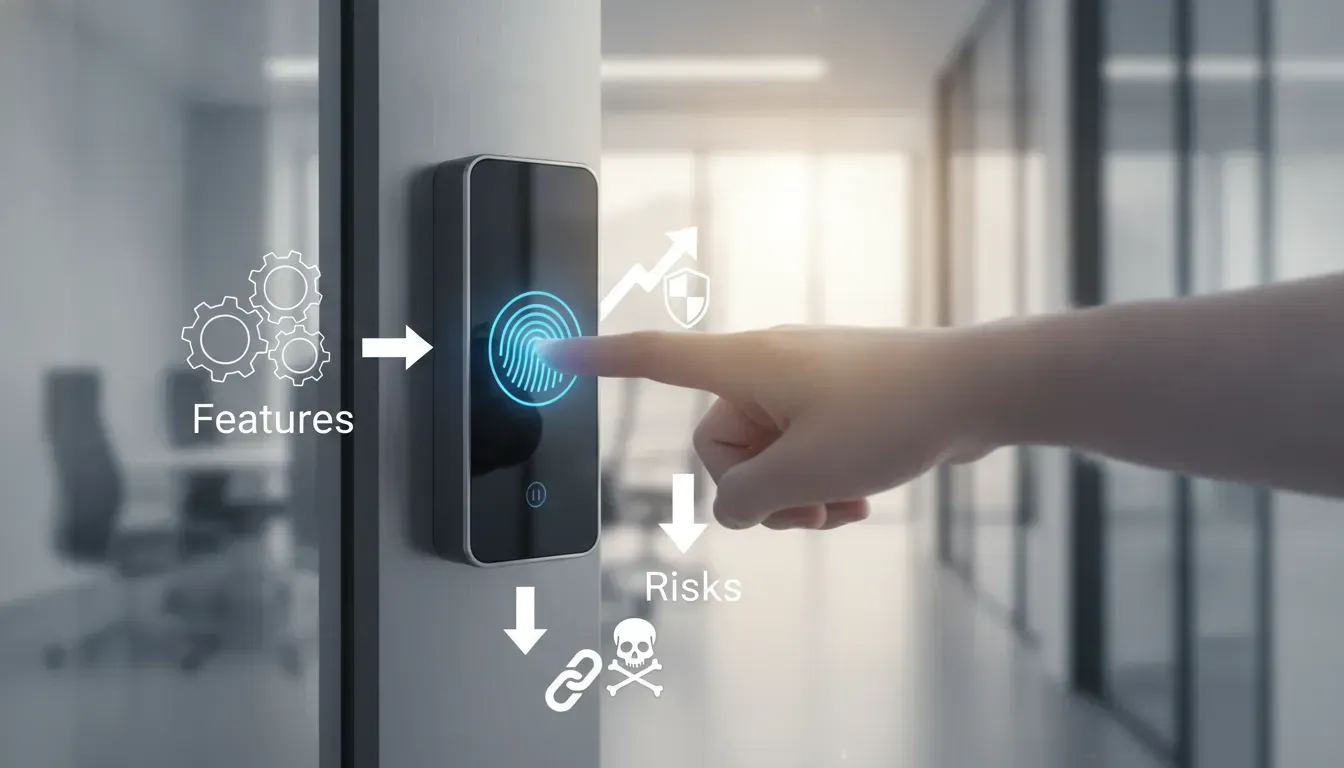
Keys can be lost, copied, loaned out, or forgotten inside the property. A fingerprint door lock addresses some of those everyday concerns by linking entry to an approved user’s biometric credential. It can help families enter without carrying keys and let businesses manage employees, vendors, and temporary users more precisely. But convenience should not come at the expense of reliability. Wet fingers, low batteries, poor alignment, network outages, and weak backup plans can still cause trouble. Before choosing a system, you need to understand how fingerprint sensors work and which features matter most. This guide covers the options, costs, installation requirements, and maintenance steps to consider in Mesa and the East Valley.
Key Takeaways
- Match the lock to your property: Review the door type, traffic level, users, weather exposure, and need for features such as access schedules, audit logs, or remote control.
- Plan for dependable operation: Use professional installation, enroll multiple fingers, keep the sensor clean, replace batteries promptly, and install approved firmware updates.
- Maintain secure backup access: Add a PIN, key, card, or emergency power option, then confirm that commercial doors meet egress, accessibility, and fire-safety requirements.
What Is a Fingerprint Door Lock and How Does It Work?
A fingerprint door lock is an electronic locking system that uses biometric authentication to verify a person’s identity. Instead of relying on a metal key, it scans the unique ridge pattern on a fingertip and compares that scan with an approved fingerprint template. When the system confirms a match, it releases the latch or deadbolt.
Most fingerprint locks include a sensor, processing software, an electronic locking mechanism, and a power source. Depending on the model, the lock may also connect to a mobile app, Bluetooth, Wi-Fi, or a larger access-control system. These features can help property owners add users, remove credentials, review entry records, and receive security alerts.
During enrollment, the lock converts key fingerprint details into a digital template. It does not typically use a regular photograph of the fingerprint for everyday matching. When someone tries to enter, the lock creates a new template and compares it with the approved records. Vivint’s guide to biometric authentication explains how biometric systems use distinctive physical traits to verify identity.
Fingerprint locks can be convenient for homes, offices, rental properties, and restricted areas. However, they still need suitable installation and a backup entry method. Wet, dirty, cold, or unusually dry fingers can affect recognition. Low batteries, connectivity issues, and improper door alignment can also cause problems.
How Fingerprint Templates Enable Matching
During enrollment, the lock scans a fingertip and identifies distinctive details, such as ridge endings, branching points, and the overall pattern. It then converts those details into a digital template. The template allows the system to compare future scans without relying on a simple visual photograph.
When a user touches the sensor, the lock creates a new reading and compares it with the approved templates in its database. If the reading meets the system’s matching requirements, the motor unlocks the door. If it does not, access remains denied.
Recognition may fail when a finger is wet, dirty, injured, or placed differently from the original enrollment. Registering the same finger more than once, along with another trusted finger, can make entry more dependable. Biometric authentication provides additional context on how unique physical traits support identity verification.
How Optical, Capacitive, and Ultrasonic Sensors Work
Fingerprint locks use several types of sensors to read the ridges and valleys on a fingertip:
- Optical sensors use light to capture a visual fingerprint image. They are common, but dirt, glare, and scratches may affect the reading.
- Capacitive sensors measure electrical changes created when fingerprint ridges touch the surface. They can provide detailed readings in a compact design.
- Ultrasonic sensors use sound waves to create a three-dimensional fingerprint image. They may handle uneven contact well, but they are less common in basic residential locks.
Sensor type is only one factor in performance. The quality of the lock’s software, installation, enclosure, and maintenance also matters. Capacitive sensors may struggle with gloves or very dry skin, while optical sensors need a clean scanning surface. Vivint’s biometric authentication guide explains how these technologies capture fingerprint information.
How Liveness Detection Ensures Accuracy
Liveness detection helps determine whether a scan comes from a real, present finger instead of a copied image, molded replica, or other imitation. Depending on the lock, the system may examine skin contact, electrical response, depth, texture, or other characteristics that a basic replica may not reproduce accurately.
This feature can reduce spoofing risks, but it does not make any lock impossible to defeat. Overall security also depends on the product’s hardware, software, communication method, enclosure, and installation. A commercial-grade system with tamper alerts and strong administrator controls may provide more protection than a low-cost lock with a basic sensor.
When comparing models, ask whether liveness detection is included and how the manufacturer tests it. You should also check whether the lock receives firmware updates. Aptenon Tech’s overview of fingerprint gate locks explains how liveness detection helps guard against replicas and photographs.
How Fingerprint Enrollment and Permissions Work
Fingerprint enrollment teaches the lock which users are permitted to enter. An administrator usually opens the lock’s app or control panel, selects enrollment, and asks the user to touch the sensor several times. The system captures different portions of the fingerprint so it can recognize the user when the finger is placed at slightly different angles.
Many locks allow multiple fingerprints for each person. A homeowner might register two fingers for easier access, then add household members or a trusted caregiver. A business can enroll employees, property managers, cleaners, and vendors. Commercial systems may also assign names, schedules, access levels, and expiration dates.
Review permissions regularly. Remove former employees, departing tenants, and old service accounts as soon as access is no longer needed. For temporary visitors, choose time-limited credentials instead of sharing a permanent administrator code. Vivint explains fingerprint enrollment and permissions, including how owners can grant or revoke access.
How PINs, Cards, Apps, Keys, and Emergency Entry Work
A fingerprint lock should offer at least one reliable backup entry method. Common options include PINs, RFID cards, mobile apps, Bluetooth, and traditional keys. These alternatives are useful when a finger will not scan, a user has an injury, batteries are depleted, or a phone is unavailable.
Emergency entry varies by model. Some locks include external battery contacts, allowing you to connect a temporary battery from outside. Others include a mechanical keyway, one-time code, or administrator override. Before installation, confirm how each option works and decide where to keep emergency keys or backup batteries.
Avoid placing a spare key in an obvious location, and do not share an administrator code with everyone who needs occasional access. Choose backup methods that fit the property and its users. Nuki’s smart-lock guidance explains why alternative credentials are useful when environmental conditions affect fingerprint recognition. The LOCK Shop can help assess residential options through its residential locksmith services.
Where Homes, Offices, and Businesses Use Fingerprint Locks
In homes, fingerprint locks can make daily entry easier for families, roommates, and trusted caregivers. They reduce the need to carry keys and can limit the number of physical copies in circulation. A PIN or app can provide another convenient option for children, guests, and scheduled service visits.
Offices and commercial properties can use fingerprint locks for storage rooms, server areas, supply closets, private offices, and employee entrances. Administrators can assign access schedules to employees, contractors, cleaners, and vendors. This may be simpler than collecting and reissuing keys whenever staffing changes.
Fingerprint systems can also serve clinics, warehouses, gyms, and multi-tenant facilities. High-traffic locations need commercial-grade hardware, organized credential management, and a dependable exit plan. Commercial door lock guidance identifies offices, banks, hospitals, and similar properties as settings where access management is especially important. For a property in Mesa or the East Valley, The LOCK Shop can review your commercial lock system and recommend hardware suited to the doors and traffic patterns.
Is a Fingerprint Door Lock More Secure Than a Traditional Lock?
A fingerprint door lock can be more secure than a traditional lock in some situations, but biometric technology is not automatically the best choice for every door. Its biggest advantage is that access is tied to an enrolled fingerprint rather than a physical key that can be lost, copied, or shared. For homes, offices, and controlled commercial areas, this can make entry easier to manage while reducing common key-related risks.
Security depends on the entire system, including the lock’s construction, sensor quality, software, backup entry methods, and installation. A poorly fitted biometric lock may create problems, while a well-installed mechanical deadbolt can provide dependable protection for years. The right option depends on who needs access, how often the door is used, and whether you need features such as entry records or remote administration.
A professional locksmith can review your door, existing hardware, and access requirements before you choose a system. The LOCK Shop provides residential lock services and commercial security solutions for homes and businesses in Mesa and the surrounding East Valley.
Reduce Lost and Copied Keys With Keyless Entry
Fingerprint locks remove the need for most users to carry a physical key. That matters when keys are frequently misplaced, loaned to others, or copied without the property owner’s knowledge. Authorized users gain entry with a registered fingerprint, which cannot be casually handed to a coworker, tenant, or visitor.
Keyless entry can also simplify security after a personnel change. Instead of collecting keys and replacing lock cylinders, an administrator can delete a user’s fingerprint from the permission list. This does not remove every risk, since someone could use another entrance or a backup credential, but it addresses a common weakness of traditional keys.
A fingerprint lock should still include a dependable backup method. PINs, cards, override keys, and emergency power options can help when a sensor or battery fails. A locksmith can assess whether your existing door hardware needs repair or replacement through commercial lock services.
Manage Employees, Vendors, Visitors, and Temporary Access
Fingerprint locks can make access control more precise for businesses with several user groups. An owner may give employees regular access, allow a cleaning company to enter during specific hours, and provide a contractor with temporary permission. When the work ends, the temporary credential can be removed without changing access for everyone else.
This arrangement can work well for offices, storage rooms, rental properties, and restricted areas. However, fingerprints are not always practical for every visitor. A delivery driver may need a one-time PIN, while a manager may prefer an app or access card. Supporting several credential types gives you flexibility without treating every user the same way.
Before choosing a lock, find out how permissions are created and managed. Some systems use a keypad, while others require a mobile app or administrator dashboard. For larger properties, an integrated commercial security system may be more suitable than a standalone fingerprint lock.
Track Entry With Logs, Schedules, Auto-Locking, and Alerts
Many fingerprint locks record access events, including the credential used and the time the door opened. These audit logs can help a business review activity, confirm that an employee arrived, or investigate an unexpected entry. They may also reveal patterns, such as a door being used outside normal operating hours.
Scheduling features allow administrators to limit access by day and time. For example, a vendor may enter only on weekday mornings, while employees have access throughout the workweek. Auto-locking secures the door after a set period, reducing the chance that someone forgets to lock it manually.
These features are useful only when configured correctly. Set an appropriate auto-lock delay, review the log retention period, and limit access to records and settings. Alerts should also be practical rather than excessive, so staff can respond to meaningful events instead of ignoring constant notifications.
Compare Fingerprint Locks With Keypads, Cards, and Deadbolts
Fingerprint locks are convenient, but they are only one option. Keypad locks work well for families, rental properties, and businesses that need shared or temporary PINs. Access cards and fobs are often a good fit for offices with many employees, especially when staff already use a badge system. Traditional deadbolts remain dependable when you prefer simple hardware with minimal electronics.
Each credential has different weaknesses. A PIN can be observed or shared, a card can be lost, and a key can be copied. Fingerprint recognition avoids some of those issues, but the sensor may not read every finger on every attempt. Dry skin, moisture, dirt, gloves, or an injury can affect recognition.
The best system may combine two or more options. A business could use fingerprints for employees, PINs for temporary access, and a mechanical key for emergencies. An automotive locksmith uses a similar practical approach when providing key duplication and programming, matching the credential to the situation instead of relying on one method for everyone.
Connect Wi-Fi, Bluetooth, Apps, and Access-Control Systems
Some fingerprint locks connect to a phone through Bluetooth, while others use Wi-Fi for remote management. Bluetooth can work well when an administrator is near the door. Wi-Fi may allow remote status checks, permission changes, and alerts from another location. The available features depend on the lock, its hub, and the manufacturer’s app.
A standalone lock may provide everything a small home or office needs. A larger business may want the lock to connect with an access-control platform, video intercom, alarm system, or property management software. Integration can simplify administration, but it also adds devices and accounts that require regular maintenance.
Ask whether the system continues working when the internet is unavailable. Many locks store credentials locally, allowing authorized users to enter without an active connection. Others may limit remote features until service returns. Professional installation can help confirm that the hardware fits your door and works with your wider security setup.
Secure High-Traffic and Restricted Commercial Areas
Fingerprint locks can be useful at doors that need controlled access throughout the day. Examples include employee entrances, supply rooms, server closets, medication storage areas, and private offices. A biometric credential can help prevent unauthorized people from using a shared key or borrowing an employee’s access card.
High-traffic locations require more than a capable reader. The lock, hinges, frame, strike, wiring, and power supply must withstand repeated use. If the door does not close or latch consistently, even advanced access control will not provide reliable protection. Commercial-grade hardware and routine inspections are important for busy entrances.
Restricted areas may also need cameras, alarms, two-factor authentication, or a second authorized person. Review the entire entry point instead of focusing only on the fingerprint reader. The LOCK Shop can help businesses evaluate commercial lock options for offices and other properties in the Mesa area.
Consider Batteries, Connectivity, Privacy, and Failed Scans
Most fingerprint locks rely on batteries or another power source, so a low battery can affect access at an inconvenient time. Choose a model with clear low-power warnings and a practical emergency power method. Keep fresh batteries available, and test the backup entry process before you need it.
Connectivity can create another point of failure. A phone app may stop working because of a dead phone, lost password, network outage, or manufacturer service issue. For that reason, do not remove every backup credential unless you have tested an alternative. A mechanical override, external battery connection, or administrator PIN may be essential.
Privacy also deserves attention. Ask how fingerprint data is stored, whether it stays on the device, and who can manage it. Review the manufacturer’s data practices and keep the app, lock firmware, and administrator accounts updated. If a sensor repeatedly fails to recognize an authorized user, provide another approved entry method instead of forcing people to tamper with the hardware.
Understand Spoofing Risks and Common Misconceptions
A fingerprint lock is not impossible to defeat, and no access system should be treated as a complete security solution. The quality of the sensor, lock body, software, and installation all affect protection. Basic models may have fewer safeguards against fake or altered fingerprint samples than commercial systems with liveness detection and tamper alerts.
At the same time, concerns that fingerprint locks fail constantly are often overstated. Modern sensors can work reliably when users enroll clean fingers correctly and keep the reader free of dust, moisture, and residue. A scan may still fail occasionally when a finger is wet, very dry, cold, injured, or covered.
Choose a lock that supports multiple fingerprints, backup credentials, tamper alerts, and secure administration. Avoid relying on a consumer-grade device for a high-risk commercial area without reviewing its specifications and certifications. A locksmith can also address related security needs, including safe installation and service, as part of a broader property protection plan.
What Features Should You Look for in a Commercial Fingerprint Door Lock?
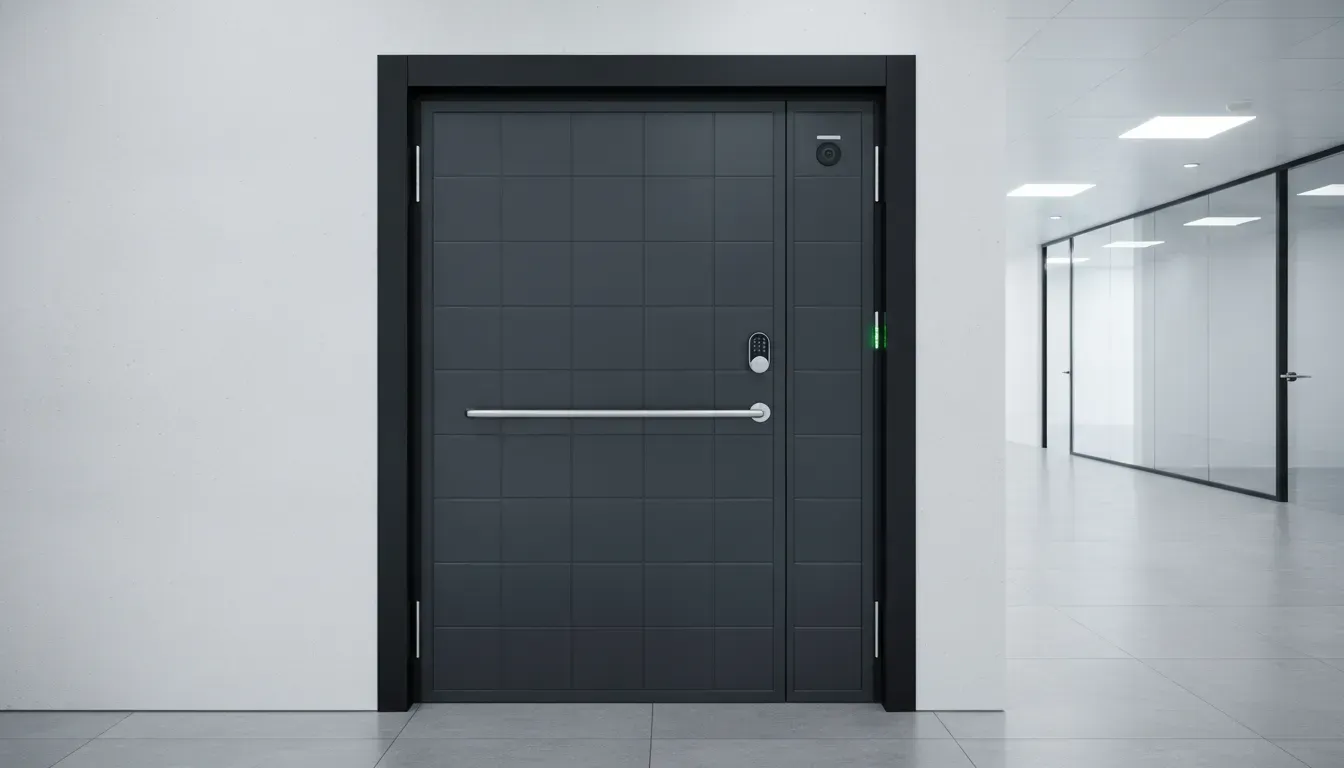
A commercial fingerprint door lock should do more than recognize an employee’s finger. It should support daily operations, protect restricted areas, and give administrators control when staffing or security needs change. The system should also work with the existing door, frame, power supply, and access-control equipment.
Start by identifying who needs access, which doors require additional protection, and how often each entry point is used. A private office may need different hardware than a warehouse entrance, medical facility, or retail stockroom. Traffic volume and the value of the items or information inside should help determine the type of lock you choose, as Avigilon’s commercial door lock guide explains.
Look for a system that combines accurate fingerprint recognition with practical backup options. PINs, cards, mobile credentials, mechanical keys, remote administration, and emergency power can help when a scan fails or a battery runs low. Audit logs, user permissions, encryption, weather resistance, code compliance, and future expansion also deserve attention before you select a lock.
Check Biometric Accuracy, Anti-Spoofing, and Tamper Alerts
Fingerprint recognition should be fast and consistent without accepting unauthorized attempts. Ask whether the lock uses liveness detection or anti-spoofing technology to distinguish a real finger from a copied fingerprint, photograph, or molded impression. No biometric system eliminates every risk, but these safeguards can make fraudulent entry more difficult.
Review the manufacturer’s false acceptance and false rejection information, especially if employees will use the lock throughout the day. Dry skin, moisture, dirt, gloves, and small injuries can affect recognition. A reliable system should provide clear feedback after a failed scan and allow administrators to set attempt limits or temporary lockouts.
Tamper alerts are also valuable for commercial doors. Look for notifications when someone enters incorrect credentials repeatedly, removes interior hardware, or forces the door. Advanced systems may encrypt stored biometric information to help keep it private. Vivint’s overview of biometric authentication explains why data protection is an important part of biometric entry.
Add Dual Authentication and Backup Credentials
Fingerprint access is convenient, but it should not be the only way into a business. A commercial lock with dual authentication can require two credentials, such as a fingerprint and PIN, before granting entry. This setup may suit offices, storage rooms, server areas, pharmacies, financial businesses, and other locations containing valuable goods or sensitive information.
Choose a lock that supports several credential types when possible. PINs, RFID cards, mobile apps, key fobs, and mechanical keys give authorized users another option when a fingerprint scan does not work. Some systems can require different credentials based on the door, time of day, or user group.
Ask how emergency entry works before installation. A backup key cylinder, exterior battery connection, or temporary administrator code can help during a power failure or depleted battery. The backup credential should be protected, documented, and available only to people who genuinely need it. Avigilon notes that biometric doors are commonly used in facilities that protect sensitive information, valuable goods, and specialized equipment.
Manage Permissions and Remove Credentials Quickly
A commercial fingerprint lock should make it easy to add, change, and remove users. When an employee leaves, a contractor finishes a project, or a tenant moves out, you should be able to disable that person’s access immediately. This is safer than collecting keys and hoping no copies exist.
Look for role-based permissions that let you assign different access levels. For example, a manager may enter the building at any time, while a cleaning service may have access only during scheduled hours. Temporary credentials can provide vendors or visitors with limited access without creating a permanent security gap.
Ask whether permissions can be managed from the lock, a desktop dashboard, or a mobile app. Cloud administration may suit businesses with several locations, while local administration can be useful when internet access is limited. Before choosing equipment, assess your facility’s security needs, including which areas need stronger protection and how quickly access must be revoked.
Review Audit Logs and Administrator Controls
Audit logs show who attempted to enter, when the attempt occurred, and whether access was approved or denied. This record can help business owners investigate unusual activity, verify employee schedules, and answer questions about deliveries, maintenance visits, or after-hours entry.
Ask how much information the system records and how long it retains those records. Some locks store activity locally, while others send it to a cloud platform. You may also want filters for users, doors, dates, and event types, along with downloadable reports for internal reviews.
Administrator controls deserve the same attention. A strong system should support separate administrator accounts, permission levels, password protection, and alerts for suspicious activity. Avoid giving every manager full control over the entire system. Audit trail capabilities are especially useful for businesses that manage employees, vendors, and clients across multiple access points.
Monitor Battery Life, Low-Power Alerts, and Backup Power
Many fingerprint locks rely on batteries, even when installed on commercial doors. Ask how long the batteries typically last, how the lock reports low power, and whether administrators receive an alert before the batteries are depleted. A warning that appears only on the lock may not be enough for a busy property manager.
Choose a system with a clear emergency power option. Depending on the model, this may include an exterior 9-volt connection, USB power port, backup battery, or mechanical key override. Confirm that authorized staff know where backup equipment is stored and how to use it.
Hardwired electronic locks may need a connection to the building’s power and access-control infrastructure. This can provide dependable power, but installation may involve wiring, an electric strike, a magnetic lock, or an existing controller. Pelco’s commercial smart lock guidance recommends reviewing power requirements, server location, and compatibility with current systems before selecting hardware.
Protect Data With Encryption, Local Storage, and Updates
Fingerprint data requires careful handling because it cannot be changed like a PIN. Ask whether the lock stores fingerprint templates rather than full fingerprint images, and whether the information is encrypted when stored and transmitted. You should also confirm who can access the data and whether it leaves the property.
Local storage may suit a single-door system that does not need remote management. Cloud storage can simplify administration across several locations, but it should include strong account security, encrypted connections, and a clear data-retention policy. Two-factor authentication for administrator accounts adds another layer of protection.
Firmware updates can correct security issues and improve performance. Find out how updates are delivered, whether they can be scheduled outside business hours, and what happens if an update fails. As Vivint explains, biometric systems use distinct data, so that information needs strong technical protection and responsible administration.
Match Commercial Durability, Weather Resistance, and Traffic Ratings
A lock used dozens or hundreds of times each day needs more durable hardware than a lightly used interior office lock. Review the manufacturer’s duty cycle, traffic rating, strike strength, and warranty. Hardware should suit the door’s material and the amount of force it handles during normal use.
For exterior doors in Mesa and the East Valley, consider heat, dust, direct sunlight, and occasional moisture. Check the product’s weather-resistance rating and confirm that the fingerprint sensor can operate within the local temperature range. An indoor-rated lock may not be suitable for a gate, storefront, or unprotected service entrance.
Also inspect the door closer, hinges, latch, and frame. A high-quality fingerprint reader cannot compensate for a sagging door or weak strike plate. Avigilon notes that access volume is an important factor when selecting commercial lock hardware, so match the system to the busiest access points rather than choosing based on appearance or price alone.
Confirm Door Compatibility and Installation Requirements
Before purchasing a lock, verify the door’s bore size, backset, thickness, handing, latch type, and deadbolt configuration. Aluminum storefront doors, hollow metal doors, wood office doors, glass doors, gates, and fire-rated assemblies may require different hardware. A product designed for one door type may not fit another without additional components.
Check whether the lock needs a new strike, wiring, controller, power supply, network connection, or door position sensor. If the door is part of a larger access-control system, confirm that the new fingerprint reader can communicate with the existing platform. Compatibility problems can add cost and prevent the system from working as expected.
A professional assessment can identify issues before equipment is ordered. The LOCK Shop provides commercial lock services for businesses in Mesa and surrounding communities, including help selecting hardware for a specific door and security requirement. This can be especially helpful when replacing an existing lock or connecting a new device to an access-control system.
Meet Egress, Accessibility, and Fire-Code Requirements
Security hardware must never prevent people from leaving safely. Commercial fingerprint locks should allow fast egress during an emergency, without requiring a complicated scan, app, or code from the inside. Depending on the door and occupancy type, the installation may need panic hardware, a request-to-exit device, or another approved release method.
Fire-rated doors and frames also have specific requirements. Altering the door or replacing its hardware without checking the assembly can affect its rating. Midwest Door’s commercial lock guidance emphasizes regular inspection and testing of fire-rated entry assemblies under NFPA 80 requirements.
Accessibility matters, too. The lock should be positioned and operated in a way that works for people with different mobility needs. Avoid placing the only credential reader where a wheelchair user, employee carrying supplies, or visitor cannot comfortably reach it. A licensed, bonded, and insured locksmith can help coordinate the lock, door hardware, and required safety features before installation.
Plan for Traffic Patterns, Access Points, and Future Growth
Think beyond the first door. Map how employees, customers, vendors, and visitors move through the property. Main entrances may need fast credential processing and remote monitoring, while offices, supply rooms, and records areas may need stricter permissions. Separate access zones can limit movement without requiring every employee to use the same credentials.
Consider what the business may need later. You may add employees, open another location, install a gate, or connect cameras and alarm systems. Choose hardware and software that can support additional doors and users without replacing the entire system. Pelco recommends selecting commercial systems that can scale as security needs change.
Plan for service and administration as well. Decide who will review logs, approve new users, replace batteries, respond to alerts, and update firmware. A fingerprint lock is one part of a commercial security plan. Suitable hardware, clear policies, routine maintenance, and responsive local service can help the system remain reliable as your business grows.
Which Fingerprint Door Lock Brands and Prices Should You Compare?
Fingerprint door locks can range from relatively simple residential devices to complete commercial access-control systems. The price difference usually reflects more than the fingerprint reader itself. Commercial systems may include user management, entry logs, schedules, remote administration, door position sensors, controllers, and software. A residential lock may provide fingerprint entry, a PIN pad, and a mechanical key without connecting to a larger network.
Start by considering how the door is used. A homeowner may want convenient access for family members, while a business owner may need to manage employees, vendors, visitors, and multiple entrances. The number of users, daily traffic, door location, and consequences of unauthorized entry all affect the right system. Avigilon’s guide to commercial door locks also emphasizes the importance of traffic volume and access patterns when selecting commercial hardware.
When comparing prices, include installation, programming, batteries, replacement credentials, software subscriptions, maintenance, and future expansion. A lower-priced lock may work well on a single residential door but lack the durability or administrative controls required in a busy office. The following brands, systems, and cost factors can help you create a more realistic comparison.
Get a Local Assessment and Installation From The LOCK Shop
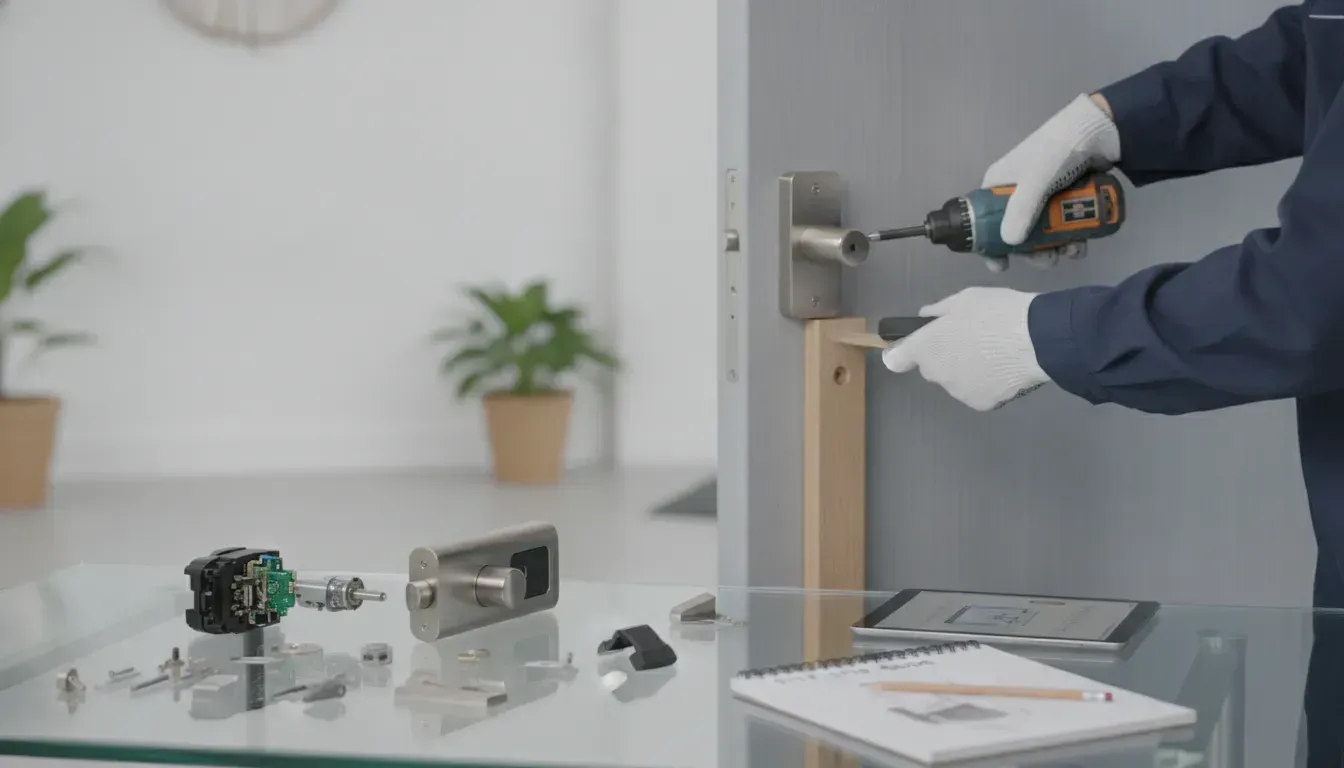
A fingerprint lock must match the door, frame, backset, power source, traffic level, and access requirements. Before ordering one, have a locksmith inspect the existing hardware. The door may need a reinforced strike, a new bore, wiring, a power supply, or alignment repairs. Identifying those needs first can prevent you from purchasing a lock that cannot be installed correctly.
The LOCK Shop helps homeowners and business owners in Mesa and the East Valley compare security options based on how their property is used. Its fully equipped mobile fleet brings tools and equipment to the job site, making it easier to assess several entry points at once. The company also provides commercial lock services, including repairs, replacements, and access-control solutions.
A professional assessment is particularly helpful when a property has several doors or different user groups. Pelco’s commercial lock guidance recommends considering installation, management, and maintenance before choosing an electronic business lock. A local locksmith can also identify door alignment, egress, and compatibility concerns before work begins.
Compare Schlage, ASSA ABLOY, Arrow, and ProdataKey Systems
For commercial properties, compare the complete system rather than focusing only on the fingerprint reader. Schlage and ASSA ABLOY offer established commercial hardware and access-control options. Arrow supplies commercial door hardware, while ProdataKey focuses on managed access systems that can help administrators control users, schedules, and entry points from a central platform.
Features differ by product and configuration. Check the supported credential types, user capacity, communication method, event reporting, software requirements, and compatibility with existing hardware. Ask whether the system supports fingerprints alone or also accepts cards, PINs, mobile credentials, or mechanical keys as backup options.
The best fit depends on the building’s traffic and security plan. A small office with one entrance may need a simpler setup than a warehouse, medical facility, or multi-tenant property. Compare each manufacturer’s specifications with your actual needs, including interior and exterior doors, restricted rooms, and future expansion. A locksmith can also help confirm whether a selected system meets the demands of the door and frame.
Compare Kwikset, Yale, SECURAM, and Standalone Residential Locks
Residential fingerprint locks are generally simpler than commercial systems, but their features and installation requirements still vary. Kwikset and Yale offer smart lock options that may include fingerprint access, PIN codes, smartphone control, automatic locking, and traditional key backup. A standalone lock may be a better fit if you want keyless entry without connecting the door to a broader home automation system.
SECURAM is another option for homeowners seeking fingerprint-focused hardware. Its listed products include the SECURAM EOS Non-Wi-Fi Fingerprint Deadbolt, priced at $119, and the SECURAM Touch Smart Lock, priced at $215. Prices and availability can change, so verify current details before purchasing.
Check each model’s fingerprint capacity, recognition speed, battery type, weather protection, app requirements, and emergency-entry options. Also confirm that its dimensions match your door. For repairs, replacements, and new residential hardware, review The LOCK Shop’s residential lock services.
Expect Residential Prices From About $67.99 to $119 and Up
Basic residential fingerprint locks may start at approximately $67.99, although the final price depends on the brand, handle style, lock format, included features, and current promotions. For example, the TECKNET Fingerprint Keypad Door Lock has been listed at $67.99, reduced from a regular price of $109.99, on the manufacturer’s product page.
Models priced around $119 and higher may offer stronger construction, greater fingerprint capacity, a deadbolt design, or a more established security brand. More advanced locks may add Wi-Fi, Bluetooth, remote access, activity notifications, weather resistance, or smart-home integration. Those features can be helpful, but they are not necessary for every home entry.
Treat the product price as a starting point. You may also pay for installation, a replacement strike plate, door adjustments, batteries, app setup, or new hardware. If the door is damaged or misaligned, correcting that problem may be more important than choosing a model with the most features.
Estimate Commercial Hardware and Installation Costs
Commercial fingerprint systems have a wider price range because the project may include readers, controllers, software, electric strikes, magnetic locks, power supplies, wiring, and multiple doors. A single commercial fingerprint device can cost several hundred dollars before labor. For example, GoKeyless lists a STRATTEC Advanced Logic commercial fingerprint lock at $399, reduced from $450.45, in its commercial fingerprint lock collection.
Installation costs depend on the number of openings, existing door hardware, wiring access, power requirements, and programming. A direct replacement may require less labor than a new access-control installation across several entrances. Glass doors, exterior openings, fire-rated doors, and older frames may require specialized hardware or additional preparation.
Request an itemized estimate that separates equipment, installation, programming, travel, taxes, and recurring software fees. A qualified locksmith can inspect the property and explain whether a standalone fingerprint lock or a managed system is more practical.
Compare Warranties, Subscriptions, Replacements, and Total Costs
The purchase price is only one part of the long-term cost. Review the warranty for the lock body, electronics, fingerprint sensor, batteries, and finish. Ask what happens if the reader fails, the motor wears out, or the lock becomes incompatible with an app or access-control platform.
Some connected locks charge recurring fees for cloud storage, remote management, event history, or advanced alerts. Other models store credentials locally and do not require a monthly subscription. Compare what features remain available if the subscription ends or the internet connection is unavailable.
Replacement costs deserve attention, too. Ask about the price of a new reader, administrator credential, battery pack, controller, or proprietary component. Commercial buyers should also review software licensing, firmware support, service agreements, and compatibility with future doors. Glad Security’s commercial lock guidance points to budget and design as important considerations. Compare the expected cost over several years, not just the initial invoice.
Ask About Authorized Dealers, Discounts, and Service Packages
Whenever possible, purchase fingerprint hardware through an authorized dealer or qualified locksmith. An experienced provider can help confirm that the model is genuine, compatible with your door, and supported by the manufacturer. Professional installation may also include programming, warranty assistance, replacement parts, and help resolving setup issues.
Ask whether the provider offers discounts for seniors, veterans, property managers, or multi-door installations. The LOCK Shop serves homeowners and businesses in Mesa, the East Valley, and surrounding Phoenix metropolitan areas. You can request service from The LOCK Shop to arrange an on-site assessment.
Before approving the work, confirm exactly what the service package includes. It may cover installation, fingerprint enrollment, PIN setup, app connection, testing, user training, and removal of old hardware. Business owners should also ask about maintenance, emergency support, credential changes, and adding doors later. A clear agreement helps prevent unexpected charges and gives you a reliable contact when the system needs service.
How Do You Install, Maintain, and Troubleshoot a Fingerprint Door Lock?
A fingerprint door lock can make daily entry easier, but dependable performance starts with proper installation. The lock must fit the door, align with the strike plate, and have a reliable power source. Even a quality biometric lock may fail to operate smoothly if the deadbolt presses against the frame or the sensor becomes dirty.
Before installing the lock, read the manufacturer’s instructions and check the door’s measurements. Commercial properties require additional planning for traffic volume, emergency exit routes, accessibility, and fire-safety requirements. NFPA 80 covers the inspection and maintenance of fire door assemblies, which may apply to certain commercial openings.
Set up more than one approved entry method after installation. A fingerprint, PIN, physical key, access card, or mobile app can provide a backup if the sensor fails or the batteries run low. Keep administrator credentials private, install firmware updates, and review access records regularly. These steps can help you maintain a fingerprint door lock and address common problems.
Check Bore, Backset, Door Thickness, Handing, and Deadbolt Fit
Start by measuring the existing lock opening, called the bore, as well as the door thickness and backset. The backset is the distance from the door’s edge to the center of the bore. A replacement lock must match these dimensions or include the correct adapter.
Check whether the door is left-handed, right-handed, or designed for reversible hardware. Confirm that the deadbolt’s length and shape match the existing strike plate. If the bolt cannot extend fully, the lock may not secure the door properly. It may also continue working against resistance, which can drain the batteries.
Inspect the door for warping, loose hinges, and a damaged strike plate before installation. Biometric lock compatibility depends on the physical door and frame, not just the electronic features. If the measurements or handing are unclear, have a locksmith verify the opening before you purchase hardware.
Align the Frame and Protect Hardware From Weather
The deadbolt should move through the strike plate smoothly without scraping, pressing against the frame, or requiring extra force. Test the lock with the door open, then close the door and test it again. If the operation changes when the door closes, adjust the strike plate or correct the alignment before using the lock regularly.
Protect exterior components from direct rain, standing water, and prolonged exposure to extreme temperatures. Weather-resistant hardware still requires careful placement and installation, particularly on gates, exterior doors, and commercial entrances. Do not cover the fingerprint reader with tape, caulk, or another material that could interfere with the sensor.
Also inspect the frame, hinges, and door sweep for conditions that affect alignment. A professional locksmith can correct these issues during installation, helping reduce lockouts, battery drain, and premature wear.
Enroll Clean Fingers and Register Multiple Fingerprints
Clean and dry your finger before beginning enrollment. Follow the lock’s prompts and place your finger on the sensor at several angles, including the areas you naturally use when unlocking the door. Avoid enrolling a finger with a cut, heavy residue, or temporary swelling.
Register at least two fingers for each approved user. This gives everyone another option if one finger is wet, cold, or difficult for the reader to recognize. You may also enroll a finger from the other hand for added convenience.
Create individual user profiles instead of sharing one fingerprint or PIN. Businesses should assign credentials to specific employees, vendors, and managers. Many biometric locks also support PINs, cards, apps, and physical keys. Choose the methods that suit the property and its users. Biometric authentication systems differ in how they store and compare fingerprint data, so review the manufacturer’s privacy and enrollment settings.
Clean Sensors, Replace Batteries, and Check Hardware
Wipe the fingerprint sensor with a soft, dry microfiber cloth. Avoid abrasive cleaners, excess liquid, and sharp objects that could scratch the reader. If the lock includes a keypad, clean it gently as well, especially at a busy commercial entrance.
Check the battery compartment for corrosion, loose contacts, and signs of moisture. Replace batteries with the type recommended by the manufacturer, and replace the full set at the same time. Mixing old and new batteries can affect performance unless the instructions specifically permit it.
During routine checks, test the interior thumb turn, exterior reader, deadbolt, strike plate, and mounting screws. A lock that feels loose, sticks, or makes unusual sounds may need adjustment or repair. Commercial doors require more frequent inspections because repeated use can loosen hardware. Regular testing also matters for doors subject to fire and life-safety requirements, as explained in commercial door inspection guidance.
Fix Recognition Issues Caused by Dryness, Moisture, Cold, or Dirt
When the reader does not recognize a fingerprint, wipe the sensor and your finger first. Very wet fingers can make it difficult for the reader to capture a clear pattern, while extremely dry skin may provide too little detail. Cold weather can affect both the finger and the sensor.
Try another enrolled finger, then use the backup PIN or another approved credential. Pressing harder does not always improve the scan. If recognition problems continue, delete and re-enroll the fingerprint according to the manufacturer’s instructions.
Check the reader for dust, condensation, direct weather exposure, and sudden temperature changes. Fingerprint readers can struggle with wet fingers and cold conditions, which makes a backup entry method particularly useful for exterior doors. If the lock fails for every user, inspect the batteries, wiring, firmware, and mounting position before assuming the sensor needs replacement.
Prepare Backup Entry Plans for Outages and App Failures
Do not rely on a single entry method. Keep a physical key in a secure location, or configure a PIN, access card, or secondary administrator account. Avoid hiding a key in an obvious location near the door. At a business, store emergency credentials according to a written policy and limit access to authorized personnel.
Ask whether the lock supports low-battery warnings, an exterior battery connection, or a mechanical override. Some models accept temporary power from the outside, while others require a physical key or battery replacement.
Test the backup method before an outage occurs. Consider what happens if Wi-Fi, Bluetooth, the mobile app, or a cloud account becomes unavailable. A local fingerprint or PIN may continue working without an internet connection. For retrofit locks, retaining physical-key access can provide an important fallback, as described in Nuki’s smart lock guidance.
Install Firmware Updates and Review Access Logs
Firmware updates may address security issues, improve fingerprint matching, or correct connection problems. Install updates through the manufacturer’s official app or website, and keep the lock powered during the process. For a commercial system, schedule updates when they will cause the least disruption to employees and visitors.
Review access logs on a regular schedule. Look for unusual entry times, repeated failed attempts, unfamiliar users, or activity after an employee’s access should have ended. These records can help property managers investigate incidents and confirm that scheduled permissions are working correctly.
Choose a system that records the information your property needs. Some locks provide local history, while others store events in an app or cloud dashboard. Commercial systems may offer audit trails showing who entered and when, which supports security reviews and accountability. Commercial fingerprint lock systems often include these audit features.
Remove Departing Users and Review Permissions
Delete a user’s fingerprint, PIN, card, and app access as soon as that person no longer needs entry. Do not leave former employees, tenants, contractors, or service providers active “just in case.” Shared administrator credentials create another security concern because they make activity harder to trace.
Review permissions at regular intervals, even when your staff has not changed. Confirm that each employee can access only the rooms and hours required for their role. Temporary codes should have expiration dates, and vendor access should be limited to scheduled visits whenever the system allows it.
Keep a current list of authorized users and their assigned credentials. Larger properties may benefit from a commercial access-control system that lets an administrator change permissions from one dashboard. A security professional can help identify weak points and prioritize access changes, as recommended in commercial door security guidance.
Check Emergency Egress, Fire Compliance, and Accessibility
A fingerprint lock must not prevent people from leaving during an emergency. Confirm that occupants can exit without a phone, app, fingerprint scan, or key when life-safety rules require free egress. The correct setup depends on the door type, occupancy, building use, and local code requirements.
Commercial properties may also need panic hardware, fire-rated assemblies, accessible operating force, and approved exit devices. Replacing a lock without reviewing the complete door assembly can create a code problem, even when the fingerprint reader works properly.
Ask a qualified locksmith or building professional to review the opening before installing biometric hardware on a required exit or fire door. Commercial lock selection guidance emphasizes compliance and proper inspection. Never disable an emergency release feature to make the lock more convenient.
Use The LOCK Shop’s Mobile Service in Mesa and the East Valley
A fingerprint lock may require more than a simple hardware swap. The door could need frame alignment, strike-plate adjustments, wiring, programming, user enrollment, or integration with an existing access-control system. A professional can also determine whether the lock suits a residential door, office, storefront, gate, or restricted commercial area.
The LOCK Shop is a family-owned and operated locksmith serving Mesa, the East Valley, and the Phoenix metropolitan area. Its mobile service fleet brings equipment directly to homes and businesses, which is useful when a lock needs to be installed, repaired, rekeyed, or programmed on-site.
You can request locksmith service for help with fingerprint lock installation, access permissions, lock repairs, and backup entry planning. The team also provides commercial lock services for businesses that need durable hardware and controlled access.
Frequently Asked Questions
Are fingerprint door locks a good choice for homes? Yes, they can be a practical option for homeowners who want keyless entry and easier control over household access. Choose a model with PIN or physical-key backup, low-battery alerts, and a sensor designed for the door’s location. Proper installation matters because a misaligned door can cause the deadbolt to stick or drain batteries.
What happens if a fingerprint lock does not recognize my finger? Clean and dry both your finger and the sensor, then try another enrolled finger. Cold temperatures, moisture, dry skin, dirt, or an injury can affect recognition. If the problem continues, use the backup PIN, key, card, or emergency power option. Re-enrolling the fingerprint may also improve results.
How secure are fingerprint locks for commercial properties? They can provide strong access control when paired with durable hardware, liveness detection, tamper alerts, encrypted data, user schedules, and audit logs. Businesses should also confirm that the system supports emergency exit requirements and backup credentials. A professional locksmith can help match the lock to the door, traffic level, and security needs.
What should I check before buying a fingerprint door lock? Confirm that the lock fits the door’s thickness, bore, backset, handing, and deadbolt setup. Then compare fingerprint capacity, battery life, weather resistance, backup entry methods, app or access-control compatibility, user permissions, activity logs, warranty coverage, and ongoing software fees. Include installation and any needed door repairs in the total cost.
Can The LOCK Shop install or repair fingerprint door locks in Mesa, AZ? Yes. The LOCK Shop provides mobile locksmith service for homes and businesses in Mesa, the East Valley, and nearby Phoenix metropolitan areas. The team can assess door compatibility, install or repair hardware, program credentials, adjust alignment, and help configure backup entry options. You can request service for assistance with your specific property.