October 10, 2026
Lost keys, copied keys, and complicated access lists can create unnecessary stress for homeowners and property managers. A keyless door lock offers another way to control who enters your home, rental, office, or shared building. You can assign individual PINs, send temporary digital credentials, or deactivate a former tenant’s access without changing every lock. Still, electronic hardware needs proper installation and regular care. A weak door frame, poor alignment, dying batteries, or an unreliable connection can cause problems. Learn which keyless entry methods fit different properties and how The LOCK Shop can help with selection, installation, and repairs.
Key Takeaways
• Choose based on the door and users: Confirm measurements, hardware compatibility, weather exposure, and preferred access method before purchasing a keyless lock.
• Keep a backup entry plan: Select features such as low-battery alerts, physical key overrides, emergency charging, and local access during internet outages.
• Manage access and maintenance carefully: Use individual codes or credentials, remove former users promptly, secure connected accounts, replace batteries, and schedule professional installation when needed.
What Is a Keyless Door Lock?
A keyless door lock lets you open a door without using a conventional metal key. Instead, it relies on an electronic access method, such as a PIN, smartphone, fingerprint, card, fob, or proximity credential. Depending on the model, it may work independently or connect to a home security system, smart-home platform, or cloud-based access control system.
Keyless locks can simplify daily entry for households, rental properties, and businesses. You can provide access without handing over a physical key, remove access when it is no longer needed, and avoid making copies for every new family member, employee, or service provider. The best option still needs to match your door, security goals, and preferred way to manage access.
Compare keyless, electronic, and smart locks
The terms keyless, electronic, and smart are related, but they describe different features. A keyless lock refers to the way you enter, without a traditional key. An electronic lock uses power, usually from batteries, to control the locking mechanism. A smart lock is an electronic lock with connected features, such as smartphone control, remote access, activity notifications, or smart-home integration.
For example, a standalone keypad deadbolt is keyless and electronic, but it may not connect to Wi-Fi or a mobile app. A Wi-Fi-enabled deadbolt that you control from your phone is keyless, electronic, and smart. Electronic door locks (https://www.rockymountainhardware.com/are-electronic-door-locks-safe) come in several configurations, so review the access methods and connectivity requirements before buying.
A connected lock may provide more control, but it can also require an app, hub, internet connection, or software updates. A standalone keypad may offer a simpler setup with fewer connected features. The LOCK Shop can help homeowners compare options through its residential lock services in Mesa and nearby East Valley communities.
Explore PINs, apps, fingerprints, cards, fobs, and proximity credentials
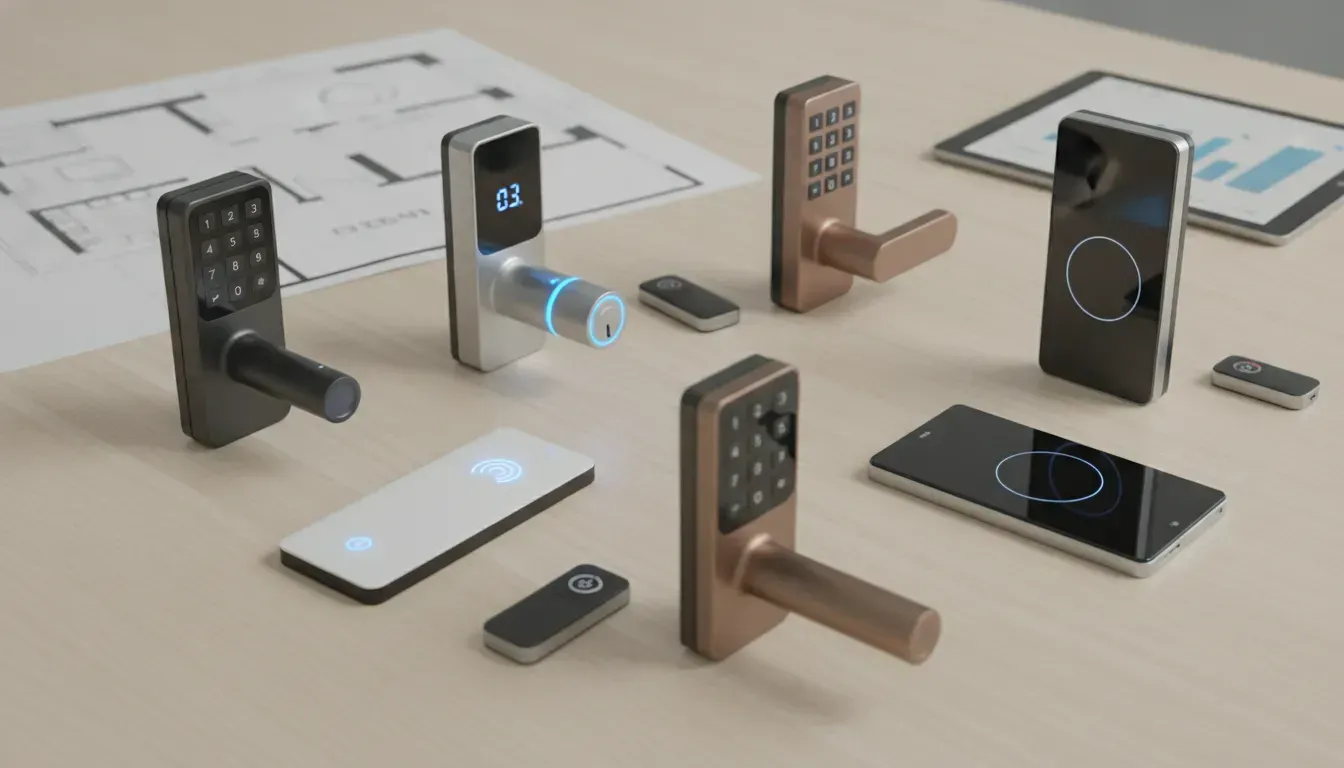
Keyless locks support different entry methods, and each one suits a different routine. A keypad or touchscreen uses a personal identification number, commonly called a PIN. PINs work well for families, tenants, cleaners, dog walkers, and other people who need regular access. On some models, you can assign individual codes and remove one code without replacing the lock.
Smart locks may use a smartphone app, Bluetooth, Wi-Fi, or a digital key. Apps can let you lock the door remotely, send invitations, review activity, and create temporary permissions. Fingerprint locks provide quick personal entry, while RFID cards and fobs work well for offices, rental properties, and shared buildings. Electronic lock systems (https://www.gokeyless.com/collections/electronic-door-locks?srsltid=AfmBOooue6dwca-rRY7EZWbhNX_K1bpPM-DXnIprLRGcIVfPRm2Vzo3B) may support several methods in one system.
Think about who will use the door and how often. A PIN may be easiest for a household, while cards or fobs may be more practical for a team. For app-based entry, confirm that each user has a compatible phone and understands the access process.
Plan for batteries, low-battery alerts, overrides, and emergency power
Most residential keyless locks run on batteries, so battery care should be part of your plan. Battery life varies based on usage, lock type, connection strength, weather, and features such as Wi-Fi communication. A busy front door may need attention more often than a rarely used side entrance. Watch for low-battery alerts in the app, on the keypad, or through audible warnings. Smart lock battery life (https://www.cnet.com/home/security/best-smart-locks) differs between models, so check the manufacturer’s specifications.
Look for a backup entry option before purchasing. Some locks include a traditional key cylinder, while others have an exterior emergency power connection for a temporary battery. A keypad may continue working during a Wi-Fi outage, but remote features could stop until the connection returns. Ask whether access codes are stored locally and what happens during a power or internet failure.
For Mesa and East Valley homes, choose exterior hardware designed to handle heat, dust, and sun exposure. Test the low-battery warning, backup method, and emergency power connection after installation. The LOCK Shop’s mobile locksmith service can help with installation, repairs, lockouts, and replacements.
Compare keyless and traditional locks
A keyless lock is not automatically more secure than a traditional lock. Physical construction still matters, including the deadbolt, strike plate, door frame, and installation quality. A poorly aligned electronic lock may be difficult to operate, while a weak door frame can limit the protection of even a high-quality deadbolt.
Keyless systems do offer practical security benefits. You can change a PIN without replacing the hardware, remove a former tenant’s access, create a one-time code, and receive alerts on some connected models. Smart locks may also provide activity records and remote control. These features can make access management easier than collecting and tracking physical keys.
Traditional locks do not depend on batteries, apps, or wireless connections, and many homeowners prefer their straightforward operation. Keyless locks can provide comparable protection when properly installed and paired with a strong door and quality hardware. Review applicable ANSI/BHMA lock grades, then consider your household’s routines, comfort with technology, and need for temporary access before choosing a system.
Compare Keyless Door Lock Types
Keyless door locks differ in how they identify users, connect to other devices, and handle emergencies. A keypad deadbolt may be enough for a family home, while an office, apartment community, or rental property may need individual credentials, access schedules, activity logs, and remote management.
Start by considering who needs access and how often. Will household members enter with PINs? Do employees need cards or fobs? Will guests, cleaners, tenants, or contractors need temporary permissions? Your answers will help narrow the choices.
The door itself matters just as much. A standard residential deadbolt, electronic lever, mortise lock, and panic-bar system each require different hardware. Before ordering a lock, check the door’s thickness, backset, handing, frame, and existing latch. If the door sticks or the frame is damaged, installing a new lock without correcting those issues can create more problems.
The LOCK Shop provides residential lock services and commercial security solutions throughout Mesa and the East Valley. A locksmith can inspect the opening, explain compatible options, and help you compare installation requirements before you purchase equipment.
Battery life and backup entry should also influence your decision. Look for low-battery alerts, emergency power terminals, a physical key override, or another reliable entry method. A lock that offers several access methods may be more convenient, but each added feature can affect cost, setup, maintenance, and privacy.
Keypad and touchscreen deadbolts
Keypad deadbolts use a PIN instead of a physical key. Touchscreen models provide the same basic function with a smooth digital panel, while push-button keypads offer tactile feedback that may be easier to use at night or for people who prefer physical buttons.
These locks suit many homes because they do not require a phone, app, or internet connection for everyday entry. You can create separate codes for family members, guests, cleaners, or service providers, then remove individual codes when access is no longer needed.
Compare battery life, low-battery warnings, code capacity, and emergency entry options. Confirm that the lock fits your door’s backset and existing deadbolt opening. Schlage’s electronic lock options (https://www.schlage.com/en/home/products/electronic-locks.html) show the range of keypad and touchscreen designs available for residential doors.
Bluetooth and Wi-Fi smart locks
Bluetooth locks communicate with your phone when you are nearby. Depending on the model, an app can let you lock or unlock the door, create digital keys, and check the lock’s status. Wi-Fi models connect to your home network, which may allow remote access, notifications, guest management, and activity tracking when you are away.
Smart locks are useful for households that regularly manage visitors, deliveries, pets, or short-term guests. Before choosing one, check whether it needs a separate hub or bridge, how it works during an internet outage, and whether the app supports two-factor authentication.
A keypad, backup key, or emergency charging feature gives you another way to enter if your phone or network is unavailable. CNET’s smart lock recommendations compare features such as remote access, auto-locking, and guest permissions.
Biometric fingerprint locks
Fingerprint locks use a built-in reader to identify approved users. Once a fingerprint is enrolled, the user can enter without remembering a code, carrying a key, or opening an app. This can be helpful for busy households, especially when your hands are full.
Fingerprint readers may work less consistently when fingers are wet, dirty, injured, or exposed to harsh conditions. Choose a model that also supports a PIN, app, or physical key so you have a backup.
Check how many fingerprints the lock stores and whether you can delete one user without resetting the entire system. Keep the reader clean and test it after installation. The Ultraloq U-Bolt Pro is one example of a lock that combines fingerprint access with other entry methods.
RFID cards, fobs, and proximity locks
RFID cards, key fobs, and proximity credentials are common in offices, apartment buildings, gated facilities, and shared spaces. Users present a programmed card or fob to a reader instead of entering a PIN. Some systems also support smartphones, Bluetooth credentials, or other electronic access methods.
These locks work well when many people need access and administrators want to manage each credential separately. If an employee loses a fob, you can deactivate that credential without changing access for everyone else. Property managers can assign permissions by unit, building, amenity, or time period.
Before choosing a system, ask whether it records entry events, supports temporary credentials, and allows remote credential management. Available options vary, so compare supported electronic door lock access methods before ordering hardware.
Electronic levers, mortise locks, and commercial hardware
Electronic levers replace or add access control to a lever-style door handle. They can suit interior offices, side entrances, and commercial doors where a traditional knob or deadbolt is not the right configuration. Their slim profile provides electronic access without the appearance of a large residential smart lock.
Mortise locks combine the latch, locking mechanism, and handle in a pocket cut into the door. They are common in offices, retail locations, and other high-traffic areas. Commercial options may also include electrified panic bars, exit devices, and door position monitoring.
These installations require careful attention to door construction, frame alignment, fire egress, and power requirements. The LOCK Shop works with brands such as Arrow Lock & Door Hardware and other commercial hardware manufacturers to help businesses select suitable equipment.
Cloud-managed access control for offices, rentals, and multifamily properties
Cloud-managed access control allows an administrator to manage doors, users, credentials, and schedules through a web dashboard or mobile app. It can suit offices, apartment communities, storage facilities, and rental properties where access changes frequently.
Instead of visiting every door, a manager may be able to add a user, issue a temporary code, or deactivate a credential remotely. Useful features include audit trails, recurring schedules, temporary permissions, activity alerts, and multiple administrator roles.
Commercial properties may also need panic-bar compatibility, elevator controls, intercom integration, or door position monitoring. Ask how the system works during an internet outage and whether approved credentials continue working locally. The LOCK Shop offers commercial access control solutions for organizations that need centralized control across multiple openings.
Compare retrofit locks with full replacements
A retrofit lock adds smart functionality while keeping some of your existing exterior hardware. This may reduce installation work and suit renters or homeowners who want to preserve the current appearance of the door. It can be a practical choice when the existing deadbolt is in good condition and the new device is confirmed to fit.
A full replacement removes the existing lock and installs a new deadbolt, lever, mortise lock, or access control device. This gives you more choices and may be better when the current hardware is worn, poorly aligned, outdated, or not strong enough for the door.
A complete replacement also makes sense when you want a matching finish or need features a retrofit cannot provide. CNET’s smart lock guidance explains why renters often prefer retrofit designs, while homeowners may have more flexibility with replacement hardware. Have the door inspected before choosing either option.
Compare security, convenience, installation, and cost
Security should come before extra features. Check the lock’s ANSI/BHMA rating, deadbolt strength, strike plate, and door frame condition. A connected lock also needs a protected account, current software, strong user permissions, and a secure home network.
Convenience matters, but remote access is not helpful if the lock has unreliable batteries or no practical backup entry. Consider who will use the lock, whether they can operate the interface easily, and how quickly you can remove old codes or credentials.
Installation costs depend on the door, wiring, hardware, alignment, and number of openings. A basic keypad deadbolt may be a straightforward residential project, while a commercial system can require power supplies, networking, credential setup, and programming. Include hubs, subscriptions, replacement batteries, and future service in your budget.
If the door sticks, the frame is damaged, or the project involves commercial hardware, request professional lock repair and replacement service (https://www.thelockshopaz.com/contact) before installation. The right lock should fit the door, support your daily access needs, and remain serviceable over time.
Choose the Right Keyless Entry Method
The best keyless entry method depends on who needs access, how often they use the door, and how much control you want over permissions. A keypad may suit a family, while a card or fob system may work better for employees entering a shared building. Smart locks add remote control, activity alerts, and temporary digital keys, but they also require reliable batteries and careful account setup.
Start by thinking about your daily routine. Do children, tenants, cleaners, or contractors need access? Will users enter through one door or several? Would you rather manage permissions from your phone, or use a simple system that does not depend on an app? Your answers can help you choose a lock that is convenient without adding features you will not use.
The door itself matters, too. Exterior doors in Mesa and the East Valley may face dust, heat, and direct sunlight, so choose hardware rated for the installation location. If you are replacing an existing lock, check the door’s measurements and alignment before ordering. A local locksmith can help match the lock to your door and install it correctly.
Use PINs for families, tenants, employees, and service providers
PINs are a practical choice when several people need access to the same door. Instead of copying keys, you can create individual codes for family members, tenants, employees, dog walkers, or service providers. When someone no longer needs entry, you can delete that person’s code without collecting a physical key or changing every other user’s access.
Choose a lock that supports multiple user codes rather than one shared PIN. Individual codes make access easier to manage and may help you identify which user opened the door. Many electronic locks offer flexible code management, as shown in Schlage’s keyless lock options (https://www.schlage.com/en/home/products/electronic-locks.html).
For a rental property or business, ask about code capacity, schedules, and administrator controls before buying. A keypad lock can suit a home, rental, or office that needs straightforward access without requiring every user to download an app. The LOCK Shop can help you compare residential locks and commercial hardware for your property.
Use apps, Bluetooth, Wi-Fi, and digital keys
Smart locks connect entry to a phone, allowing approved users to unlock the door with an app or digital key. Bluetooth generally works when the user is near the lock, while Wi-Fi models may support remote access, status checks, and notifications from farther away. Some systems need a hub or bridge to connect with your home network, so check the requirements before purchasing.
App-based access can help homeowners let in a guest while away, check whether the door is locked, or send a temporary key to a family member. It can also help property managers provide access without meeting each tenant in person. Every user will need a compatible phone, an account, and a charged device, however.
Review the app’s permissions, account security, and support policy. Confirm whether the keypad, Bluetooth connection, or backup key will still work if the internet stops working. Professional lock installation can help ensure the hardware, app, and existing door components work together properly.
Use fingerprints for fast personal access
Fingerprint locks provide quick entry without requiring you to remember a PIN or carry a key. After registering an approved fingerprint, you can access the door with a touch. This option may suit homeowners who want fast personal entry while carrying groceries, equipment, or a child.
Biometric locks are often best for a small group of regular users. Check how many fingerprints the lock can store and whether it recognizes users consistently after dusty, wet, or slightly damaged fingers. Some models combine fingerprint recognition with a keypad, app, or physical key, giving you another way to enter if the scanner does not recognize a print.
Consider the lock’s placement and exposure to the elements. An exterior device exposed to direct sun, dust, or temperature changes may need more frequent cleaning and inspection. Confirm how the lock handles a failed scan, depleted battery, or unregistered user. The LOCK Shop can recommend residential lock services based on your home and entry routine.
Use RFID cards and fobs for teams and shared buildings
RFID cards and fobs can work well for offices, apartment communities, storage areas, and other shared buildings. Users present an authorized credential to the reader, avoiding memorized codes and making it easier to issue, deactivate, or replace access as people join or leave a team.
These systems are useful when different users need access to different doors or on different schedules. Staff may enter the main door during business hours, while managers receive access to offices, supply rooms, or exterior gates. Property managers can assign credentials to tenants and deactivate them when a lease ends.
Ask whether the system supports lost-card protection, activity records, user groups, and multiple doors. You should also decide who will manage permissions and where credentials will be stored. For a larger building or business, commercial locks and access solutions may provide more control than a standalone residential lock.
Set one-time codes, schedules, recurring permissions, and user limits
Flexible permissions are a key reason to choose an electronic access system. A one-time code can give a contractor temporary entry without revealing your primary PIN. Recurring permissions can let a cleaner enter every Tuesday, while scheduled access can limit an employee’s code to business hours.
Look for controls that allow start and end dates, specific days, time windows, and user limits. Activity logs can also show when a code was used. These features reduce manual changes and provide helpful information if you need to review an entry.
Not every lock offers the same controls. Some keypad models support only a few permanent codes, while app-connected systems may provide detailed schedules and remote management. Rental homes, offices, and multifamily properties may benefit from cloud-managed systems that control several doors from one platform. Ask about commercial access control if you need centralized management or different permissions for each user group.
Combine keypads, apps, backup keys, and emergency charging
You do not have to rely on only one entry method. Many keyless locks combine a keypad with an app, Bluetooth, a physical backup key, or exterior emergency power terminals. This layered setup gives each user a convenient option while preserving a way inside if one method fails.
For example, family members can use PINs, a trusted guest can receive a temporary digital key, and you can keep a physical backup key in a secure location. If the battery runs low, some locks allow temporary power through exterior terminals. Confirm the required battery type and emergency procedure before installation.
Test every method after installation. Try the primary code, backup code, app, physical key, and low-battery power option. Remove default codes, keep administrator credentials private, and replace batteries when the lock issues a warning. If you need installation, repair, rekeying, or replacement, The LOCK Shop provides mobile locksmith service (https://www.thelockshopaz.com/contact) throughout Mesa and the surrounding East Valley.
Are Keyless Door Locks More Secure Than Traditional Locks?
A keyless door lock is not automatically more secure than a traditional lock. Its security depends on the hardware, the door, the installation, and the way you manage codes or connected accounts. A properly installed keypad deadbolt can provide reliable protection, while a smart lock mounted on a weak door or misaligned frame may add convenience without addressing the main security risk.
Traditional locks have one clear advantage: they do not rely on batteries, apps, Wi-Fi, or online accounts. However, physical keys can be lost, copied, or shared without your knowledge. Keyless locks reduce those concerns but require different habits, including protecting access codes, replacing batteries, and installing software updates.
The best choice depends on who uses the door and how access needs to be managed. A homeowner may want separate PINs for family members and service providers. A property manager may need temporary codes and activity records. A business may need managed access across several doors. The LOCK Shop can help you compare residential locks, commercial hardware, and installation options based on your door and security needs.
Change individual codes easily
A keyless lock lets you create a separate code for each person who needs access. Instead of handing out copies of one house key, you can set up individual PINs for family members, a caregiver, housekeeper, or dog walker. When someone no longer needs access, you can delete that person’s code without replacing the entire lock.
Some models also support codes with start and expiration dates. These are helpful for guests, contractors, short-term renters, or scheduled service visits. Avoid using birthdays, street numbers, or other easy-to-guess combinations. Choose unique codes, keep them private, and remove unused codes regularly. If you want a physical backup, ask a locksmith about a keypad lock that also includes a traditional key override.
Manage temporary access, audit trails, alerts, and remote control
Connected keyless locks can provide more visibility than a standard lock. Depending on the model, you may be able to create a temporary code, set access schedules, receive entry alerts, or review an activity log. These features can help homeowners monitor service visits and help property managers give access without meeting every guest in person.
Remote control is useful when you need to unlock a door for someone while you are away. However, these functions depend on the lock, app, internet connection, and account settings. Review permissions before sharing access, and remove old users promptly. For businesses, cloud-managed systems can provide more detailed control than a standalone keypad. The LOCK Shop offers commercial locks and access-control solutions for businesses managing employees, tenants, or multiple entry points.
Use auto-locking, tamper alarms, and failed-attempt protection
Auto-locking secures the door after a set period, which can help when someone forgets to turn the thumb turn or press the lock button. Set the timing carefully. A door that locks too quickly may close before you have carried in groceries or helped a child enter. Test the setting with everyone who uses the door.
Many keyless locks also provide an alarm or notification after repeated incorrect codes, forced entry attempts, or unusual activity. These features may discourage casual tampering and give you time to respond. They do not replace a strong door, a properly installed deadbolt, or careful access management.
Check that the latch extends fully into the strike plate and that the door closes securely. If the lock rubs, sticks, or fails to line up, have it inspected. Electronic features cannot compensate for poor alignment or a damaged frame.
Check ANSI/BHMA grades, deadbolts, reinforced strikes, and door strength
Evaluate the physical security of a lock before focusing on smart features. ANSI/BHMA grades help compare door hardware based on performance, durability, and security. The Builders Hardware Manufacturers Association explains its standards (https://buildershardware.com/) for door hardware, including requirements related to strength and repeated use.
For most exterior residential doors, look for a quality deadbolt, a reinforced strike plate, and screws long enough to anchor into the door frame. The door, frame, hinges, and surrounding wall should also be strong enough to resist forced entry. A high-grade lock cannot compensate for a thin door or loose frame.
Commercial doors may require mortise locks, exit hardware, or access-control equipment designed for the building. Before replacing a lock, a locksmith can inspect the backset, handing, strike placement, door alignment, and overall condition.
Protect accounts with encryption, two-factor authentication, and updates
Treat a smart lock account like any other important online account. Use a long, unique password and turn on two-factor authentication when the manufacturer offers it. Do not share your main login with family members, employees, or contractors. Create separate user profiles instead, giving each person only the access they need.
Keep the lock’s app, firmware, hub, and connected devices updated. Updates may address security issues, improve reliability, or resolve compatibility problems. Before buying, check how the manufacturer handles updates and how long it expects to support the product.
Review privacy settings, particularly if the app stores entry history or connects to other smart-home devices. If you do not need remote access, a standalone keypad lock may reduce the number of accounts and connected systems you need to manage.
Address concerns about hacking, durability, outages, and lockouts
Hacking is a reasonable concern, but the risk varies by lock type and setup. A basic keypad lock without an internet connection has fewer digital entry points than a Wi-Fi model with remote access. A connected lock can still be a practical option when the manufacturer follows sound security practices and you protect the account properly.
Physical durability matters just as much as digital security. Choose hardware designed for exterior use, especially in Mesa and the East Valley, where heat, dust, and direct sunlight can affect outdoor equipment. Check the manufacturer’s temperature and weather-resistance specifications before installing a lock on an exposed door.
Most battery-powered locks continue working when the home internet goes down, although remote features may stop. Some include a key override or external battery terminal. Confirm the emergency entry method before installation so you know how to get inside if the battery dies or your phone is unavailable.
Plan for battery failure, code sharing, internet dependence, and other limits
Every keyless lock needs a backup plan. Check the expected battery life, low-battery warnings, and emergency power method before buying. Keep the recommended batteries available and replace them as soon as the lock warns you. Do not assume every model uses the same battery type or offers an external charging connection.
Code sharing can also weaken security. A code used by several people becomes difficult to track, and former users may continue using it unless you delete it. Create individual codes whenever possible, limit permissions, and review the user list regularly.
If the lock relies on Wi-Fi, determine which functions continue during an outage and which require the cloud. A backup key, secondary entry point, or professional service plan can help prevent a lockout. The LOCK Shop provides lock repair, rekeying, and replacement services when a keyless or traditional lock needs attention.
Use This Keyless Door Lock Buying Checklist
Choosing a keyless door lock involves more than deciding between a keypad and a phone app. The lock must fit your door, suit the people who use it, and keep working when batteries run low or the internet goes down. Start with the physical requirements, then compare access features, smart-home compatibility, and ongoing costs.
For a home, a keypad deadbolt may provide everything you need. A rental, office, or multifamily property may require scheduled codes, access records, remote management, or a complete access-control system. If you are replacing an existing lock, measure the door carefully before ordering. Even a highly rated lock can cause problems if the latch does not align with the strike plate.
Think about who needs access, how often they enter, and what should happen during a power or connectivity issue. A local locksmith can check compatibility before you buy and handle installation, repairs, or adjustments. The LOCK Shop provides residential lock services throughout Mesa and nearby communities, including lock installation, rekeying, repairs, and replacement.
Check door type, dimensions, backset, handing, and latch alignment
Start with the door itself. Is it an exterior entry door, side door, garage entry door, interior office door, glass door, metal door, or mortise-style door? Keyless locks are not universal, and some models only fit standard door preparations.
Measure the door thickness, borehole diameter, edge-bore size, and backset. The backset is the distance from the door’s edge to the center of the borehole. Many residential locks support common backset sizes, but confirm the specifications instead of assuming. Check whether the door is left-handed, right-handed, or reversible, especially when choosing an electronic lever.
Inspect the latch and strike plate for smooth alignment. A motorized lock can drain batteries or fail to secure the door if the bolt rubs against the strike. The door should close fully without forcing or lifting it. If the measurements are unclear, ask a locksmith to inspect the opening before you purchase hardware.
Verify security ratings, certifications, and physical reinforcement
A keyless feature does not automatically make a lock physically strong. Look for recognized standards, including ANSI/BHMA lock grades, when comparing residential and commercial hardware. Grade 1 generally represents the highest level of tested durability and security. Grade 2 is common for residential applications, while Grade 3 is typically intended for lighter-duty use.
Examine the entire door system, not just the lock. A strong deadbolt cannot compensate for a weak door, loose hinges, a thin frame, or short screws. A reinforced strike plate and longer screws can help anchor the lock to the framing. For exterior doors, choose a deadbolt with a substantial bolt and a housing designed to resist tampering.
If you are securing a business, rental, or shared entry, ask about fire-safety and egress requirements before installation. Commercial electronic hardware may need to work with panic devices, exit hardware, or building access rules.
Check battery life, warnings, and emergency entry
Most keyless locks use batteries, so find out how the system warns you before power runs out. Look for audible alerts, low-battery notifications in the app, and a visible keypad indicator. Ask how long the batteries typically last under your expected use. Frequent entry, extreme temperatures, and connected features can affect battery life.
Every lock should have a backup entry plan. Depending on the model, that may include a physical key, an exterior emergency battery terminal, a removable battery pack, or a mechanical override. Confirm the battery type and keep replacements in an accessible location, but not directly outside where someone could find them.
Test the backup method after installation instead of waiting for an emergency. If the lock depends on Wi-Fi or a hub, find out whether keypad codes continue working during an internet outage. The manufacturer’s electronic lock guidance (https://www.schlage.com/en/home/products/electronic-locks.html) can help you compare battery alerts and emergency entry options.
Confirm user capacity, schedules, activity logs, and privacy controls
Consider how many people need access and how often those permissions change. A basic keypad may support only a few permanent codes, while a connected lock may let you create individual credentials for family members, cleaners, dog walkers, tenants, or employees.
Look for controls that match your routine. Useful features may include one-time codes, recurring schedules, automatic expiration dates, and the ability to disable one user without changing everyone else’s code. For a rental or small business, activity logs can show when a credential was used. Check whether the system records attempted entries, successful entries, or both.
Privacy settings matter when access data is stored in an app or cloud account. Review who can see activity, whether notifications can be disabled, and how long records remain available. Use separate administrator and user permissions whenever possible. Remove former residents, employees, and service providers as soon as their access is no longer needed.
Choose weather-resistant hardware for Mesa and East Valley doors
Exterior locks in Mesa and the East Valley must handle intense sun, high temperatures, dust, and occasional heavy rain. Choose hardware rated for outdoor use, and review the manufacturer’s temperature, moisture, and finish specifications. A lock designed for an interior door may not hold up on an uncovered front or side entrance.
The finish also deserves attention. Direct sunlight can affect some keypad covers, displays, and coatings over time. A shaded entry may need different protection than a gate or door exposed to afternoon sun. Keep the keypad clean and avoid spraying harsh chemicals into the mechanism.
Review the installation location before selecting a connected lock. If the door is far from your router, a Wi-Fi model may have connection problems. A Bluetooth lock, hub-based system, or local keypad may work better. For a commercial property, commercial lock services can help match exterior hardware to the building and its access needs.
Prioritize readable displays, tactile buttons, and accessibility
The best lock is one everyone can use comfortably. Compare illuminated keypads, large numbers, audible prompts, tactile buttons, and touchscreen controls. Physical buttons may be easier to operate with gloves or dusty hands, while a touchscreen can offer a cleaner appearance and additional features.
Think about visibility at night and in direct sunlight. A display that looks clear indoors may be difficult to read at an exterior entrance. Test whether the buttons respond consistently and whether the lock gives a clear signal when a code is accepted or rejected.
Accessibility should guide your decision for older adults, people with limited dexterity, and anyone who may struggle with small screens. Consider the keypad height, the force needed to turn the handle, and whether the door closes without excessive effort. If several people use the entrance, choose the design that works for the least comfortable user.
Check smart-home compatibility, software support, warranty, and parts
Before choosing a connected lock, confirm that it works with your existing smart-home platform. Check compatibility with Apple Home, Google Home, Alexa, or a dedicated hub. Some locks support voice commands and automations, while others provide only app-based control. A lock may also require a separate bridge for remote access.
Software support is just as important as the hardware. Review how the manufacturer handles security updates, app support, account recovery, and firmware updates. Avoid choosing a lock with limited documentation or an unclear support policy.
Read the warranty terms and check whether replacement batteries, key blanks, exterior covers, motors, and mounting parts are available. If the lock fails, you may need a repair or replacement part rather than an entirely new system. Established brands such as Schlage (https://www.schlage.com/en/home/products/electronic-locks.html) and Kwikset publish product details and support information, but verify the specific model before buying.
Calculate hardware, hubs, subscriptions, installation, and maintenance costs
Compare the full cost of ownership, not just the price on the box. Add the lock, batteries, hub or bridge, keypad accessories, backup keys, and required smart-home equipment. Some systems also charge a subscription for cloud storage, advanced reports, remote management, or additional users.
Installation can add to the total, especially if the door needs new holes, frame repairs, wiring, alignment work, or commercial hardware. A retrofit lock may be simpler to install, while a full replacement may provide stronger hardware and more access options. Ask for a clear estimate that separates equipment from labor.
Plan for ongoing expenses, including replacement batteries, supported accessories, repairs, rekeying, and eventual replacement. A low-cost lock may become expensive if parts are unavailable or the system stops receiving updates. The LOCK Shop offers mobile locksmith service, bringing the tools and experience needed to assess your Mesa-area installation on site.
Do Keyless Door Locks Work With Smart Homes?
Yes, many keyless door locks work with smart home systems, but compatibility depends on the lock’s connection method, supported platform, and need for an additional hub. A keypad deadbolt may operate independently, while a connected smart lock can communicate with your phone, voice assistant, security system, or other household devices.
Start by deciding which features matter to you. You may want to unlock the door remotely, send a temporary code to a guest, receive activity alerts, or connect the lock to cameras and lights. If you need help comparing options for your home, The LOCK Shop offers residential lock services in Mesa and the surrounding East Valley.
Compare Wi-Fi, Bluetooth, Z-Wave, Zigbee, and Matter
Keyless locks use several wireless connection types, and each one affects range, battery life, and compatibility.
Wi-Fi usually connects directly to your home network and supports remote access without an extra hub. It can use more battery power because it maintains a network connection. Bluetooth works primarily when your phone is nearby, making it useful for local unlocking and digital keys. Remote access may require a Wi-Fi bridge.
Z-Wave and Zigbee use relatively little power and connect through compatible smart home hubs. They can work well in homes with multiple connected devices, but the lock and hub must support the same system. Matter is a newer standard intended to improve compatibility among supported smart home products. It does not guarantee that every lock feature will work on every platform.
Review the manufacturer’s specifications and compare smart lock connection types (https://www.cnet.com/home/security/best-smart-locks) before choosing a model.
Check Alexa, Google Home, Apple Home, and smart hub support
A lock described as “smart” may not support the platform you already use. Confirm compatibility with Amazon Alexa, Google Home, Apple Home, or your preferred smart home hub before buying. Then check which features each platform supports. Some systems allow voice commands to check the lock’s status but require a PIN or additional verification before unlocking.
Read the product details for information about required apps, bridges, hubs, and subscriptions. A lock that works with Alexa may not support Apple Home, while a model compatible with Google Home may provide only basic controls. If several people use the lock, make sure everyone can create an approved profile or receive a separate access code.
Your home network can also affect performance. Check the manufacturer’s Wi-Fi requirements, supported phone operating systems, and device limits. Choose a provider that offers clear technical assistance and reliable smart lock support (https://www.thelockshopaz.com/contact) when you need help.
Use remote access, voice commands, geofencing, and automations
A connected keyless lock can provide more control than a traditional key. Through a mobile app, you may be able to lock the door after leaving, check its status, or let in a family member while you are away. Temporary access can also help when a cleaner, contractor, or guest needs to enter for a limited time.
Voice commands may make daily routines easier, but use them carefully. You might ask whether the door is locked while requiring a PIN or phone confirmation to unlock it. Some systems support geofencing, which uses your phone’s location to trigger an action when you arrive or leave. Test this feature before relying on it, since phone settings and location accuracy can affect the result.
Automations can connect the lock to lights, cameras, alarms, or thermostats. For example, locking the door at night could activate a security system. Test each automation and keep a backup entry method available. Remote access and voice control (https://www.vivint.com/resources/article/best-door-locks) are common features, but they are not available in the same way on every model.
Determine whether you need a hub or bridge
Some locks connect directly to Wi-Fi, while others communicate with your phone through Bluetooth and need a bridge for remote access. A hub or bridge links the lock to your home network. Without one, you may still use a keypad or unlock the door with your phone nearby, but you may not be able to manage the lock from another location.
Look for phrases such as “requires hub,” “bridge sold separately,” or “remote access accessory.” A bridge adds to the total cost and may need to be positioned within a specific range of the lock. Thick walls, metal doors, and the layout of your home can weaken the connection.
If you already use a Z-Wave, Zigbee, or Matter hub, confirm that it supports the exact lock model. Shared wireless standards do not always mean two products will work together. Compare the product’s requirements with smart lock hub guidance (https://www.cnet.com/home/security/best-smart-locks) before installation.
Plan for local control, cloud dependence, and outages
Ask what happens when your internet connection stops working. Many keyless locks continue accepting PINs, physical keys, or nearby Bluetooth commands during an outage, but remote app controls and notifications may stop. A lock that relies heavily on cloud services could also lose certain features if the manufacturer changes its app, subscription terms, or support policy.
Local control allows some commands to work within your home without passing through an external server. This can keep basic functions available during internet problems and may provide a faster response. Cloud-based systems, however, can offer helpful features such as remote management, activity histories, notifications, and access from anywhere.
Before purchasing, confirm whether the keypad works without Wi-Fi, whether stored codes remain active during an outage, and how to reset the lock if necessary. Ask about battery failure, too. A model with an emergency power connection or mechanical key override can give you another way inside. Review these electronic door lock security considerations (https://www.rockymountainhardware.com/are-electronic-door-locks-safe) when comparing systems.
Secure apps, accounts, permissions, and personal data
The lock is only one part of smart home security. Your phone, app account, Wi-Fi network, hub, and user permissions also need protection. Create a unique password for the lock account and enable two-factor authentication when available. Keep the app, phone, hub, and lock software updated to address known security issues.
Give each household member a separate profile rather than sharing one administrator code. Create temporary codes for service providers and remove them when the work is finished. If you manage a rental property or shared building, review activity logs and limit administrative access to people who need it.
Protect the phone used to manage the lock with a screen lock, and avoid saving credentials on shared devices. Read the manufacturer’s privacy policy to understand what information the app collects and stores. Strong account practices and careful permission settings help reduce the risks associated with connected access systems, including the concerns addressed in this smart lock security guidance (https://nuki.io/en-us/company/press-releases/smart-lock-myths).
Install and Maintain Your Keyless Door Lock
A keyless door lock can make daily access more convenient, but proper installation matters just as much as the lock you choose. A slightly misaligned deadbolt may drain batteries, fail to latch, or leave you locked out when you need to get inside. Before installation, confirm that the lock fits your door, supports your preferred entry methods, and includes a dependable backup option.
Your maintenance routine matters, too. Keyless locks rely on batteries, electronic components, and, in some cases, an internet connection or mobile app. Regular checks can help you catch problems early, keep access permissions current, and avoid preventable lockouts.
Measure the door and inspect existing hardware
Begin by measuring the door’s thickness and backset, which is the distance from the door’s edge to the center of the bore hole. Check the door handing, deadbolt type, latch, strike plate, hinges, and frame. Look for signs of damage, loose hardware, or a deadbolt that sticks. A keyless lock may not work properly if the door already has alignment problems.
Determine whether you are replacing a deadbolt, lever, mortise lock, or another hardware style. Some retrofit products work with an existing keyed cylinder, while full replacements use new interior and exterior components. If you are uncertain about compatibility, review The LOCK Shop’s residential lock services or ask a locksmith to inspect the door before you buy.
Decide when DIY installation makes sense
DIY installation may be suitable when you are replacing a standard single-cylinder deadbolt with a compatible keypad or smart lock. If the current hardware is in good condition and the new lock uses the existing holes, the project may require only basic tools and careful attention to the installation instructions.
Keep the door open while installing and testing the lock. Confirm that the latch moves freely before tightening every screw, and avoid overtightening hardware around the interior mechanism. If the project requires drilling, wiring, door modification, or complicated app setup, professional installation may be the better choice. A locksmith can identify compatibility issues before they lead to damaged hardware or an unsecured door.
Call a locksmith for alignment, drilling, wiring, or commercial hardware
A locksmith can help when the door does not close smoothly, the deadbolt fails to extend fully, or the existing holes do not match the new lock. Alignment is especially important with electronic hardware because the motor needs to move the bolt without excessive resistance. A technician can adjust the strike plate, repair the frame, or correct a damaged latch before completing the installation.
Commercial doors often use mortise locks, panic bars, access readers, electric strikes, or wiring through the door and frame. These systems require careful planning and testing, rather than a simple hardware swap. The LOCK Shop provides commercial lock services for businesses that need installation, repair, rekeying, or access-control support.
Set administrator codes and remove defaults
Program the administrator code as soon as the lock is installed. Do not keep using a factory code, an obvious number sequence, or a code based on your address. If someone helped install the lock, remove their access afterward unless you intentionally want them to retain it.
Create separate codes for household members, tenants, employees, cleaners, caregivers, and contractors when the lock supports multiple users. Individual credentials make it easier to remove one person’s access without changing the code for everyone else. Store programming instructions securely, and never write active codes on the lock, door frame, or a nearby note.
For rental properties and businesses, look for systems that support temporary or scheduled credentials. If the lock uses an administrator app, protect the account with a strong, unique password and two-factor authentication when available.
Test access methods, backup entry, and auto-lock
Test every access method before closing the door behind you. Enter each PIN, try the mobile app or credential card, and confirm that the backup key works if the lock includes a keyed cylinder. Check that the latch extends and retracts smoothly. For fingerprint locks, register more than one finger and test recognition from different angles.
Check the low-battery warning and test the emergency power option. Depending on the model, this may include a physical key, an exterior battery terminal, or another backup method. Test the auto-lock function with the door open, then choose a delay that suits your routine. An immediate relock may be inconvenient when you are carrying groceries, moving equipment, or helping children enter.
Keep at least one reliable backup entry method available. A spare key with a trusted person or an emergency power source can help prevent a lockout if the batteries fail or the app becomes unavailable. The LOCK Shop also offers automotive key duplication and programming for vehicle owners who need a separate solution for car access.
Replace batteries, update software, clean, and inspect the lock
Replace the batteries when the lock displays a warning, sounds an alert, or responds more slowly than usual. Use the battery type recommended by the manufacturer and replace the entire set at once. Mixing old and new batteries can create uneven power and inconsistent operation.
If the lock connects to an app, install firmware and software updates from the manufacturer. Updates may address security issues, compatibility problems, and reliability concerns. For model-specific care, follow the manufacturer’s electronic lock guidance (https://www.schlage.com/en/home/products/electronic-locks.html).
Clean the keypad, touchscreen, and exterior housing with a soft, slightly damp cloth. Do not spray liquid directly into the lock or use abrasive products. Periodically inspect the screws, strike plate, weather seals, and door alignment. Mesa and East Valley dust can collect around moving parts, so address sticking, grinding, or delayed locking before the issue becomes a complete failure.
Meet commercial egress, fire-safety, ADA, and access-control requirements
Commercial keyless locks must control entry without preventing occupants from exiting safely. The correct hardware depends on the building’s use, occupant load, door location, and existing fire and life-safety systems. Requirements may also apply to accessibility, emergency egress, and the type of occupancy.
A business may need panic hardware, an accessible lever, an electric strike, a request-to-exit device, or integration with an alarm system. Avoid installing a lock that requires a code, app, or card to exit unless the system is specifically designed and approved for that application. The ADA Standards for Accessible Design (https://www.ada.gov/law-and-regs/design-standards/2010-stds/) outline federal accessibility requirements, while local codes and fire officials may impose additional rules.
Commercial systems may include audit trails, user schedules, temporary credentials, remote management, and door-position monitoring. Have a qualified locksmith review the complete door and access plan before ordering hardware, particularly for offices, rentals, multifamily properties, and shared buildings.
Use The LOCK Shop for mobile installation, repair, rekeying, replacement, and emergency service
If you need help selecting or installing a keyless door lock, The LOCK Shop can bring tools and equipment directly to your property through its mobile service fleet. A technician can inspect the door, confirm compatibility, install the hardware, program user credentials, and test each access method before leaving.
Professional service can also help when a keypad stops responding, a deadbolt will not retract, an app loses connection, or a former tenant or employee still has access. The LOCK Shop serves residential, commercial, safe, and automotive customers in Mesa and nearby East Valley communities. You can request locksmith service for installation, repair, rekeying, replacement, or an emergency lockout.
Compare Keyless Door Lock Brands and Systems
Choosing a keyless door lock is less about picking the most recognizable brand and more about matching the hardware to your door, routine, and security goals. A keypad deadbolt may suit a Mesa homeowner who wants simple code entry, while a cloud-managed access-control system may be a better fit for a business, rental property, or multifamily community.
The LOCK Shop can help you compare options and choose hardware that fits your existing door. Its residential locksmith services include lock installation, repair, replacement, and rekeying. For businesses, the team also works with commercial locks and access-control hardware, including products from Schlage, Kwikset, Arrow Lock & Door Hardware, ASSA ABLOY, and ProdataKey.
Professional product matching matters because compatibility is not always obvious from a product listing. Door thickness, backset, latch alignment, trim, weather exposure, and the number of users can all affect your choice. A mobile locksmith can inspect the opening, explain the tradeoffs, and complete the installation or repair at your home or business.
Choose The LOCK Shop for local product matching, installation, repair, and access-control support
A lock that works well on one door may not be right for another. The LOCK Shop can review your door, existing hardware, and access needs before recommending a product. That helps you avoid ordering a lock that does not fit the backset, door thickness, latch, or surrounding hardware.
The team can also explain the differences between keypad locks, connected smart locks, electronic commercial hardware, and managed access-control systems. If you already have a keyless lock, a locksmith can help with installation issues, alignment, programming, repairs, rekeying, or replacement. The company’s request service page makes it easy to schedule mobile assistance for homes, businesses, and other properties throughout Mesa and the East Valley.
Compare Schlage keypad deadbolts and Encode smart locks
Schlage offers both straightforward keypad deadbolts and connected Encode smart locks. A keypad deadbolt lets authorized users enter a programmed code instead of carrying a physical key. This works well for families, guests, cleaners, and service providers who need dependable entry without using an app.
Encode models add connected features, such as remote locking and smartphone management, depending on the model and setup. That can be helpful when you want to check the lock from a distance or provide access while you are away. Schlage explains how its keyless door locks (https://www.schlage.com/en/home/products/electronic-locks.html) can use programmed codes for family members, friends, and service providers.
Choose a keypad deadbolt if you mainly want simple code entry. Consider an Encode model if you also need remote access, app control, or notifications.
Compare Kwikset SmartCode and Halo locks
Kwikset SmartCode locks are designed for convenient code-based entry, making them a practical choice for homes, rental properties, and families with multiple authorized users. Depending on the model, you may be able to create several codes, use one-touch locking, and keep a traditional key as a backup.
The Halo line adds connected features, including app-based control and remote access through compatible systems. This can help homeowners manage guest access from their phones or check whether a door is locked while they are away. Smart-home compatibility varies by model, so review the exact specifications before buying.
The main question is whether you prefer local keypad operation or connected management. SmartCode may be enough if you want straightforward entry with fewer connected features. Halo may be a better fit if remote control and digital access management are priorities. CNET’s smart lock comparisons (https://www.cnet.com/home/security/best-smart-locks) can help you create a shortlist, while a locksmith can confirm compatibility with your door.
Compare Arrow electronic locks and commercial hardware
Arrow electronic locks are generally suited to commercial environments where hardware must handle frequent use. Offices, retail spaces, schools, and busy facilities may need more than a residential keypad. They may require durable levers, panic hardware, restricted access, or a system that works with an existing access-control plan.
The right Arrow product depends on the opening and how people use it. A single office door may need an electronic lever with a keypad, while a high-traffic entrance may require heavier-duty hardware, door closers, exit devices, or credential readers. The system must also support safe exit during an emergency and meet applicable building requirements.
Commercial electronic locks are not always direct replacements for residential deadbolts. Door preparation, wiring, power, fire-rating requirements, and surrounding hardware can affect installation. The LOCK Shop can assess the opening and recommend commercial lock services for businesses in Mesa and nearby East Valley communities.
Compare ASSA ABLOY commercial locks and access-control systems
ASSA ABLOY offers a broad range of commercial locking products and access-control systems. These solutions can support organizations that need to control who enters specific areas, when they can enter, and how credentials are managed after an employee or tenant no longer needs access.
A system may include electronic locks, credential readers, door hardware, software, and management tools. This approach can help offices, healthcare facilities, apartment communities, warehouses, and other properties with multiple entry points. Instead of changing a lock whenever access needs to change, an administrator may be able to deactivate a credential or adjust permissions within the system.
The right setup depends on the building’s layout and security policy. Consider whether you need card access, mobile credentials, audit records, scheduled permissions, or integration with other security equipment. ASSA ABLOY products can form part of a larger access-control design, but professional planning helps coordinate the hardware with doors, frames, exit devices, and daily operations.
Compare ProdataKey cloud-managed access control for businesses and multifamily properties
ProdataKey is designed for cloud-managed access control, which can be helpful for businesses, apartment communities, and multifamily properties with several doors or changing users. Administrators can manage access points and credentials through a centralized system instead of handling each lock separately.
Cloud management can simplify tasks such as adding a new employee, removing a former resident, creating time-based permissions, and reviewing activity. It may also help property managers oversee access across multiple locations. Different users can receive different permissions, including residents, maintenance staff, office employees, vendors, and guests.
Before choosing a cloud-managed system, review internet requirements, backup procedures, user permissions, subscription costs, and emergency operation. Confirm that the system works with your existing doors and access hardware. A professional installer can plan readers, locks, exit devices, power supplies, and network connections together, creating a coordinated system instead of treating every doorway as a separate project.
Compare features instead of choosing by brand
Brand reputation can help you start your search, but it should not make the decision for you. Compare each lock’s security rating, construction, access methods, battery life, low-battery warnings, backup entry options, and compatibility with your door. For connected models, review app support, software updates, encryption, two-factor authentication, and whether the system requires a hub or subscription.
Think about who will use the lock and how often. A family may value easy-to-remember PINs and auto-locking. A landlord may need separate codes for tenants and service providers. A business may need cards, fobs, schedules, activity records, and centralized administration. A property manager may need remote control across several buildings.
Installation and serviceability deserve equal attention. Confirm that replacement batteries and parts are available, and ask how the lock can be repaired if the keypad, motor, or electronics stop working. The LOCK Shop provides lock repair and replacement support, including mobile service for homes, vehicles, and businesses. Comparing the complete system, not just the brand name, helps you choose hardware that fits your property and remains practical to maintain.
Understand Keyless Door Lock Costs and Long-Term Value
A keyless door lock can cost more than a traditional deadbolt, but the price includes more than the exterior hardware. You may be paying for a keypad, fingerprint reader, wireless connection, encrypted software, motorized components, and features such as remote access or activity logs. As CNET explains in its smart lock guide (https://www.cnet.com/home/security/best-smart-locks), these products combine conventional lock parts with electronic components and digital security measures.
The best way to compare prices is to consider the total cost of ownership. A basic keypad lock may be a practical choice for a lightly used interior door, while a more durable system may be better suited to a busy family entrance, rental property, or commercial building. Consider installation, power, connectivity, maintenance, warranty coverage, and future repairs before choosing based on the purchase price alone.
Your door also affects the final cost. An existing deadbolt may make a retrofit installation fairly simple, while a damaged, misaligned, unusually thick, or commercial door may need additional preparation. If you are unsure which system fits, a local locksmith can inspect the door and recommend options that match your security needs and budget. The LOCK Shop provides residential lock services for homeowners in Mesa and surrounding areas.
Identify what affects lock prices
Several features can change the price of a keyless lock. A basic keypad deadbolt generally costs less than a model with Wi-Fi, fingerprint recognition, remote control, tamper alerts, or detailed activity history. Physical construction matters as well. A reinforced deadbolt, commercial-grade mortise lock, or weather-resistant exterior may cost more because it is designed for heavier use and greater exposure.
Brand, security rating, door compatibility, and installation requirements also affect the total. A retrofit model that fits over an existing deadbolt may require less labor than a full replacement. If the door frame is weak or the latch does not line up correctly, the installation may require additional adjustments. Compare the lock’s features with the needs of that specific door, rather than paying for functions your household or business will rarely use.
Budget for hardware, installation, hubs, accessories, subscriptions, and maintenance
Begin with the lock, then list every item needed to use it properly. Potential costs include professional installation, a wireless hub or bridge, extra keypads, access cards, mounting hardware, batteries, and a monthly cloud-management subscription. Some systems include remote access at no additional cost, while others charge for features such as detailed activity logs or advanced user management.
Installation may be simple when the existing door and deadbolt are in good condition. It can become more involved when the lock requires drilling, wiring, alignment, or connection to an existing access-control system. Also plan for battery replacement, software support, repairs, and eventual replacement. A written estimate from a local locksmith can help you compare the complete project cost instead of the retail price alone.
Compare manufacturer promotions, retailers, bundles, and seasonal sales
Prices may differ between a manufacturer’s website, home improvement retailer, online seller, and local locksmith. Compare identical models and packages carefully. A lower advertised price may exclude the bridge, mounting accessories, shipping, programming, or professional setup. A bundle could offer better value when it includes a hub, extra batteries, additional key cards, or multiple locks for the same property.
Promotions and seasonal sales can make a quality lock more affordable, but a discount should not outweigh compatibility or serviceability. Confirm that the model fits your door, works with your preferred smart-home platform, and has accessible replacement parts. You can also ask The LOCK Shop (https://www.thelockshopaz.com/contact) about product recommendations and installation packages for your home or business.
Include batteries, bridges, and add-on devices
Most keyless locks use batteries, and your chosen access method can affect battery life. Frequent activity, Wi-Fi connections, weak signals, and repeated motor operation may use more power than occasional keypad or Bluetooth access. Keep spare batteries available, and choose a lock with clear low-battery alerts and an external emergency power option.
Some locks connect directly to Wi-Fi, while others need a bridge or hub. You may also need a door-position sensor, extra fobs, replacement key cards, or a second keypad. Include these items in your original budget. If batteries drain unusually quickly, the cause could be unstable connectivity, a stuck update, or a latch that puts extra strain on the motor. CNET’s smart lock coverage (https://www.cnet.com/home/security/best-smart-locks) offers more information about battery performance and power concerns.
Understand local locksmith pricing and installation costs
A locksmith’s price usually reflects more than the time spent installing a lock. The estimate may include travel, labor, door preparation, alignment, programming, testing, removal of old hardware, and disposal. Mobile service can be especially useful because the technician brings tools, replacement parts, and product options directly to your Mesa, East Valley, or Phoenix-area property.
Ask what the quote includes before scheduling service. Confirm whether installation covers administrator setup, user-code programming, app connection, and testing each entry method. For a business, rental, or multifamily property, ask about managing multiple users and doors. You can request service from The LOCK Shop to discuss keyless hardware, installation, repairs, or replacement options.
Ask local providers about senior and veteran discounts
Discounts can reduce the cost of installation or related locksmith work, but availability varies by provider and service. Seniors and veterans should ask about current discounts before the appointment, including any identification requirements. A local, family-owned locksmith may also be able to suggest a practical system that fits the property and budget instead of recommending the most feature-heavy model.
When you call, describe the door, the reason for the upgrade, and the access methods you want. Ask whether a discount applies to labor, hardware, emergency service, or only certain jobs. Request a written estimate that separates the lock, installation, programming, and additional work. This makes it easier to compare providers and reduces the chance of unexpected charges.
Consider repair, rekeying, replacement, and serviceability
Long-term value depends partly on what happens when a component wears out. Ask whether the keypad, batteries, motor, cylinder, exterior housing, and internal parts can be serviced or replaced separately. If the lock has a backup key cylinder, find out whether a locksmith can rekey it to match your existing keys. This can be useful when changing tenants, removing an employee’s access, or using one key for several doors.
Check the warranty, software support period, and availability of replacement parts before buying. A local locksmith may be able to repair or reprogram a problem without replacing the entire lock. The LOCK Shop offers commercial lock services, including solutions for businesses that need dependable access management and ongoing hardware support.
Understand why the cheapest lock may cost more over time
A low purchase price can become expensive if the lock causes repeated problems. Poor alignment may drain batteries, a weak motor may fail under daily use, or an unreliable app may leave you dependent on a backup key. A product with limited parts or software support may also require full replacement when one component stops working. For a rental or business, each failure can mean added service calls, inconvenience, and lost time.
Value does not always mean buying the most expensive model. It means matching the lock to the door, traffic level, climate, users, and access requirements. Look for durable construction, clear battery warnings, secure backup entry, practical warranty coverage, and repair support. If you are concerned about internet or power failures, choose a system with local access options, such as a keypad, physical key, Bluetooth connection, or emergency charging. A locksmith can help you compare these trade-offs before you commit to a product.
Choose the Right Keyless Door Lock
The best keyless door lock depends on the door, the people who need access, and the level of control you want after installation. A lock for a family home may only need PIN entry and auto-locking, while a rental property may require temporary codes and remote management. Commercial doors often need audit trails, scheduled permissions, credential cards, panic-bar compatibility, or connection to a larger access-control system.
Before comparing brands, list your priorities. Decide whether you want a keypad, mobile app, fingerprint reader, card, fob, or a combination of entry methods. Check whether the door has a standard deadbolt, mortise lock, lever, or specialty hardware. You should also consider battery life, low-battery warnings, emergency access, weather exposure, and what happens if the internet or power fails.
A professional locksmith can check the door’s measurements, alignment, frame, and existing hardware before you buy. The LOCK Shop provides residential lock services in Mesa and the East Valley, including installation, repairs, replacements, and rekeying. Use the following guidelines to narrow your options.
Select a security-first lock for your home
Start with the lock’s physical construction instead of its app or extra features. Look for a strong deadbolt, reinforced strike plate, tamper-resistant components, and a security grade suitable for an exterior door. The door frame matters just as much. A sturdy lock cannot provide its intended protection if the frame is cracked, the strike plate is loose, or the latch does not extend fully.
Keyless locks may also include encryption, failed-attempt protection, tamper alerts, and automatic locking. These features can help, but they work best alongside good account security and regular maintenance. Set a unique administrator code, avoid sharing it, and install recommended software updates. Vivint explains keyless entry security features (https://www.vivint.com/resources/article/best-door-locks), including encryption and other protocols designed to help prevent unauthorized access.
Choose a smart-home lock for remote control
A smart lock makes sense if you want to check or manage the door while away from home. Depending on the model, you may be able to use Wi-Fi, Bluetooth, a mobile app, or a connected hub. Some locks send alerts when the door is locked, unlocked, or accessed by a particular user, which can be useful for households with children, caregivers, or service providers.
Check whether the lock needs a separate hub or bridge before you buy. Also ask how it behaves during an internet outage. Bluetooth models may continue working locally, while remote features often rely on cloud access. Review battery requirements and emergency entry options, too. Nuki’s smart-lock guide (https://nuki.io/en-us/company/press-releases/smart-lock-myths) explains how Bluetooth and app-based access can simplify everyday entry.
Choose a lock for families, guests, and service providers
Individual PINs are usually more practical than one shared code for a busy household. Create a separate code for each family member, then remove or change it when someone moves out or no longer needs entry. Temporary codes can give guests, babysitters, dog walkers, cleaners, and repair professionals access without requiring a physical key.
Look for user limits, scheduled access, one-time codes, and activity records if you need detailed control. Auto-locking can secure the door after a set period, while passage mode may help when you are carrying groceries or hosting guests. Schlage’s electronic lock options (https://www.schlage.com/en/home/products/electronic-locks.html) include code management features and settings for automatic relocking or unlocked operation.
Choose a lock for rentals and property managers
Rental owners and property managers need access control that can be updated quickly between tenants. A keypad can eliminate the need to copy keys, while a connected lock may let you issue time-limited credentials without visiting the property. Choose a system that supports separate users, scheduled permissions, and simple removal of former tenants.
Inspect the door before ordering. Some apartment and rental doors cannot be modified without approval, and certain properties require a retrofit design that preserves the existing exterior cylinder. A retrofit can be a practical choice when you want keyless interior control without replacing all of the current hardware. CNET’s smart-lock guidance (https://www.cnet.com/home/security/best-smart-locks/) explains why renters may need a retrofit option.
Choose a commercial lock for offices and businesses
Commercial properties often need more than a keypad on the main entrance. Consider how many employees need access, whether permissions should vary by time or department, and whether managers need an activity log. Depending on the property, you may need an electronic lever, mortise lock, credential reader, panic hardware, or a complete access-control system.
A standalone keypad may work well for a small office or interior storage room. Larger offices, retail spaces, warehouses, and multifamily properties may benefit from cloud-managed access, remote administration, temporary credentials, and door activity monitoring. Buyers often compare audit trails, schedules, temporary codes, and panic-bar compatibility (https://www.gokeyless.com/collections/electronic-door-locks?srsltid=AfmBOooue6dwca-rRY7EZWbhNX_K1bpPM-DXnIprLRGcIVfPRm2Vzo3B) when selecting commercial hardware. The LOCK Shop can help you review commercial lock options for your property.
Choose a simple keypad lock for a budget-friendly upgrade
A basic keypad deadbolt may be the right choice if you want keyless entry without remote control, subscription fees, or a complicated setup. Most use a PIN and an interior thumb turn, so they are straightforward for family members and guests. Many models also include auto-locking and a backup keyway for added convenience.
Compare the complete cost before making a decision. Include the hardware, batteries, installation, replacement parts, and any hub or accessories. A lower-priced lock can work well for a secondary entrance, rental unit, or simple home upgrade when it fits the door and meets your security requirements. CNET’s keyless lock buying advice (https://www.cnet.com/home/security/best-smart-locks/) notes that a dependable lock priced below $100 can offer good value, but construction and compatibility still deserve careful review.
Call The LOCK Shop for product selection or professional service
Choosing a keyless lock is easier when you evaluate the entire door instead of comparing product boxes. The LOCK Shop’s technicians can identify the door type, check measurements and alignment, review your preferred access method, and recommend hardware for homes, businesses, rentals, vehicles, and safes. Its mobile service fleet brings professional equipment directly to customers in Mesa and nearby East Valley communities.
Professional installation is especially useful when a door needs drilling, alignment repairs, wiring, commercial hardware, or connection to an existing access-control system. You can request service from The LOCK Shop for product guidance, installation, repairs, rekeying, replacement, and emergency locksmith assistance.
Frequently Asked Questions
What is the difference between a keyless lock and a smart lock?
A keyless lock allows entry without a standard metal key, often through a PIN, fingerprint, card, or fob. A smart lock is a connected electronic lock that may add app control, remote access, notifications, activity logs, and smart-home integration. A keypad lock can work without internet, while a smart lock may depend on Wi-Fi, Bluetooth, a hub, or a mobile app.
Are keyless door locks secure?
They can provide strong security when installed on a solid door with a reinforced frame, quality deadbolt, and properly aligned strike plate. Their digital features also make it easier to remove former users, create temporary codes, and monitor entry activity. Protect administrator accounts, use individual access codes, replace batteries promptly, and keep a physical or emergency power backup available.
What type of keyless lock is best for a home or rental property?
A keypad deadbolt often works well for families and rental homes because users can enter with individual PINs and do not need an app. A connected smart lock may be more useful when you need remote access, scheduled permissions, or temporary digital keys. Property managers should look for user management, expiration dates, activity records, and simple reprogramming between tenants.
What happens if a keyless lock battery dies or the internet goes out?
Many locks continue accepting keypad codes during an internet outage, although remote app features may stop. Battery failure depends on the model, so check for low-battery alerts, a physical keyway, exterior emergency charging contacts, or another backup method. Test the emergency entry option after installation and keep the recommended replacement batteries available.
Should I install a keyless door lock myself or hire a locksmith?
A compatible keypad deadbolt may be suitable for a careful DIY installation when the existing door and frame are in good condition. Professional service is a better choice when the door is misaligned, damaged, unusually thick, or requires drilling, wiring, mortise hardware, panic hardware, or access-control programming. The LOCK Shop can inspect the opening, recommend compatible equipment, install and program the lock, and provide mobile service in Mesa and nearby East Valley communities.

The body content of your post goes here. To edit this text, click on it and delete this default text and start typing your own or paste your own from a different source.